Unlock Your Marketing ROI with Customer Journey Tracking
Ever look at your HubSpot or Salesforce dashboard and see a sea of 'Direct' or 'Unknown' sources for your most valuable leads? It’s a classic marketing headache. You know those leads came from somewhere, but your CRM isn't telling you the full story.
This happens because the path people take from their first click to filling out a form is rarely a straight line. Traditional analytics tools often drop the original source data as people switch between devices, browsers, or come back to your site days or weeks later. You're left guessing which channels are actually driving results.
Why Your CRM Is Missing Half Your Lead Sources

The modern customer journey is just messy. Someone might see your LinkedIn ad on their phone, poke around your site a week later on their laptop, and then finally type your URL directly into their browser to book a demo.
By the time they convert, most analytics tools only register that final "Direct" visit. The real source—the LinkedIn ad you paid good money for—is completely forgotten. This creates huge blind spots in your attribution and makes it nearly impossible to figure out your true ROI.
The Real Cost of Inaccurate Data
This isn't just a small annoyance; it's a massive data gap. I've seen it time and again: for many B2B companies, up to 30% of leads lose their original source information by the time they land in the CRM. It’s a recipe for bad decisions.
The problem is simple: your CRM wasn't built to be a marketing attribution tool. It’s designed to manage customer relationships, not to connect the dots of a long, complicated journey that happened before a lead even gave you their name.
This disconnect leads to a few all-too-common frustrations for marketers:
- You can't trust your reports. How can you report on channel performance when a third of your data is just plain wrong?
- You waste your budget. You might kill a campaign that looks like it's failing, when it’s actually your top source of qualified leads.
- You miss out on growth. Without knowing what's working, you can't double down on your best channels or spot new opportunities.
Common Lead Source Gaps and Their Causes
Your CRM data can be misleading. Here’s a quick look at why those attribution gaps appear and what's really going on under the hood.
| Symptom in CRM | Common Misconception | The Real Cause |
|---|---|---|
| "Direct" Source | "They must have typed our URL directly." | The original tracking data (UTMs) was lost over multiple sessions or device switches. The final visit was direct, but it wasn't the first one. |
| "Organic Search" | "They found us on Google." | They might have, but their first touch was likely a paid ad or social post. They just searched for your brand name later to get back to your site. |
| "Referral" (from your own blog) | "Our blog is driving leads!" | The lead likely landed on a different page first from an external source, then navigated to the blog before converting. The CRM only saw the last internal click. |
| "Unknown" Source | "It's a technical glitch or a bot." | The visitor came from a source without UTMs (like an email signature or a social link you forgot to tag) and the tracking script couldn't identify the origin. |
These scenarios play out every day, leading to skewed data and misinformed marketing strategies.
A Familiar Story of Failed Attribution
Let's walk through a super common B2B scenario. A potential customer clicks a Google Ad for "project management software" and lands on your blog. They read an article, get pulled into a meeting, and close the tab.
A week later, they remember your company. They search for your brand on Google and click the organic link this time. After looking at your pricing page, they finally book that demo.
In this case, last-click attribution will tell your CRM that "Organic Search" gets all the credit. It completely ignores the paid ad that did the initial heavy lifting. This is a perfect example of how standard effective strategies for marketing lead tracking can fall short. To really know what's going on, you need a system that remembers that very first touchpoint, no matter what happens afterward.
How To Capture Every Touchpoint Without Code
Figuring out where your leads really come from shouldn't require a developer on speed dial or getting tangled up in tools like Google Tag Manager. The answer is actually much simpler: a single script you install on your site one time. That's it.
Think of this script as your website’s memory. It quietly logs the source of every single visitor, whether they clicked a paid ad, found you through a Google search, came from a social media post, or followed a link from another site.
It works in the background, automatically spotting UTM parameters, checking the referring website, and noting the channel. This "set it and forget it" approach was built for marketers, not coders. Once that script is live, you can be confident you’re not missing out on crucial touchpoint data ever again.
Why Browser Storage is a Game-Changer
The real secret sauce is that all this attribution data gets saved directly in the visitor's browser cookies. This is absolutely critical for accurate customer journey tracking.
Why? Because people rarely convert on their first visit.
Imagine someone clicks your LinkedIn ad today, pokes around your site, and then leaves. A week later, they remember your company and come back by typing your URL directly into their browser. Most analytics tools would incorrectly label this lead as "Direct" traffic, completely ignoring the LinkedIn ad that did all the initial work.
By storing the original source in the browser, the script makes sure that the first touchpoint is never forgotten. It follows the user across multiple sessions, so when they finally convert, you get the real story behind their journey.
This method keeps your attribution data clean and gives you a true line of sight into which channels are actually starting the conversation. To really get a handle on this, a great first step is learning how to track website traffic comprehensively to see the complete picture.
Let's Walk Through a Real-World Scenario
Here’s how this plays out in the real world. A potential customer clicks on one of your Google Ads, which has UTMs like utm_source=google and utm_medium=cpc.
- First Visit: The script on your website immediately sees and records those UTMs.
- Data Stored: It saves "Google" and "CPC" (along with the campaign name) right in that person's browser.
- They Come Back: Two weeks later, the person returns by searching your brand on Bing. The script notes this new visit but also sees the original Google Ad data is still there.
- The Conversion: When they finally fill out your contact form, the script grabs the original Google Ads info from their browser and gets it ready to be sent with the form submission.
This entire process makes sure credit goes where credit is due—to the channel that brought the customer in, not just the last one they happened to click. Getting this right is the foundation of a proper sales funnel analysis because it directly ties your top-of-funnel marketing to actual results.
It’s a completely hands-off system that just works, giving you the clean, reliable data you need to make smarter marketing decisions. And you never have to write a single line of JavaScript.
Getting Attribution Data into Your Forms and CRM
Okay, so you’ve started capturing where your visitors are coming from. That’s a huge first step. But that data is pretty useless until you connect it to an actual person—a lead. The magic really happens when you push all that rich attribution info directly into your CRM every time someone fills out a form. This is how you finally close the loop and see exactly which marketing efforts are turning into real leads and, eventually, customers.
The whole point is to automatically tag every new contact in HubSpot, Salesforce, or whatever CRM you're using with the marketing channel that brought them to your site. No more manual data entry, no more guesswork. Just clean, actionable data that gives your sales team valuable context from their very first conversation.
Here’s a simple breakdown of how the data flows from a visitor's browser right into your systems.
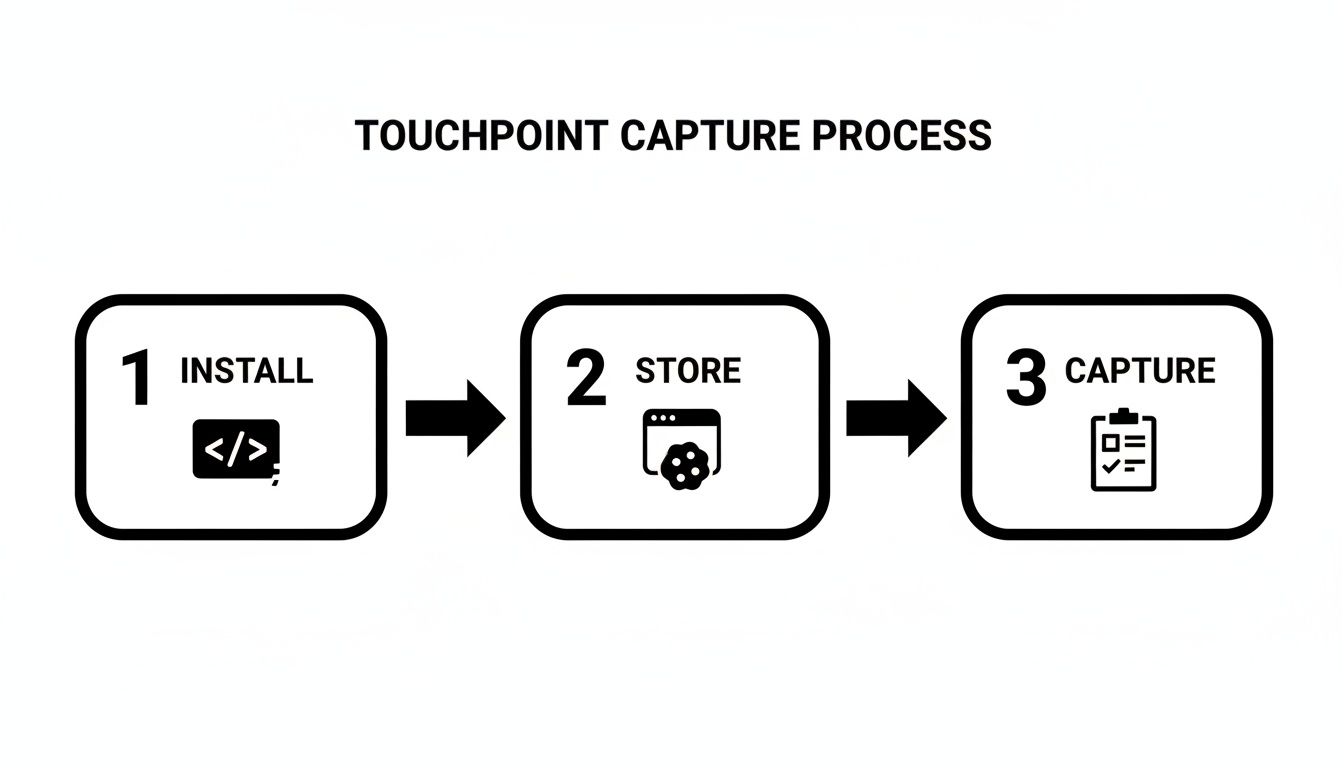
As you can see, it’s a three-part process: install a script, store the touchpoint data in the browser, and then capture it when a form is submitted. This creates a seamless handoff of information.
The Secret Sauce: Hidden Form Fields
So how do you actually get the data from the website into your CRM? The bridge is a set of hidden fields on your lead capture forms. Whether you're using Gravity Forms, Webflow Forms, or Typeform, you can add fields that your visitors can't see, but your tracking script can.
When someone lands on a page with your form, the script finds these hidden fields and automatically fills them with the attribution data it's been storing—like the source, medium, and campaign name. When the user hits "submit," all that juicy data gets sent along with their name and email, right into your CRM. It’s a completely hands-off workflow once you set it up.
If you want to get into the nitty-gritty of setting this up, we have a complete guide on how to use them here: https://www.getleadpulse.com/blog/hidden-fields-in-form. It walks you through the process for most of the popular form builders.
Building a Complete Picture of Your Customer
This isn't just a clever technical workaround; it's fundamental to creating a unified customer view. Think about it: customers today might interact with you across nine different channels. Yet, a recent report from Webex found that only 25% of them feel 'very satisfied' with their experience, usually because their data is scattered all over the place.
By passing attribution data into your CRM, you start stitching those touchpoints together. Your sales team can instantly see that a new lead came from a specific LinkedIn ad about their industry. That insight alone allows for a much smarter, more personalized follow-up.
This isn't just about making your marketing reports look better. It’s about creating a smarter, more informed conversation with every single person who reaches out.
This level of detail is exactly what you need to prove your marketing ROI. If you want to go deeper and learn how to properly assign credit across all these interactions, it’s worth exploring different multi-touch attribution models. These frameworks help you move beyond simplistic "first-click" or "last-click" thinking and see the full story of what's driving conversions. By feeding this rich data into your CRM, you turn it from a simple address book into a powerful tool for understanding and improving the entire customer journey.
Making Smarter Marketing Decisions with Your Data

Alright, you've done the hard work of getting attribution data flowing into your CRM. Now the fun begins. The fog of war starts to clear, and you can finally answer that million-dollar question every marketer loses sleep over: "Where are my best customers actually coming from?"
This is where customer journey tracking goes from being a neat technical setup to your most powerful strategic weapon. You can now build simple reports right inside your CRM that draw a straight line from a marketing channel to actual revenue. It’s no longer just about counting leads; it's about understanding their quality.
From Lead Volume to Lead Value
So many marketers get caught in the lead volume trap. You see a hundred leads from a Google Ads campaign and think you've struck gold. But what if 99 of those leads never convert, or worse, become problem customers who churn quickly?
At the same time, maybe a handful of blog posts only brought in ten leads last month. It's tempting to write off that channel as a low-performer. But what if your CRM data reveals that eight of those ten leads became your most profitable, long-term customers? The entire story changes.
This is the real magic of connecting attribution data to business outcomes. Suddenly, you can build reports that answer the questions that really matter:
- Which channel gives us the highest lead-to-customer conversion rate?
- What's the average deal size from LinkedIn leads compared to organic search?
- Which campaigns bring in leads that our sales team can close in half the time?
Getting answers to these questions means you can confidently shift your budget and energy away from the channels that just look busy and double down on the ones that deliver real, measurable ROI.
A Real-World Example of a Strategic Shift
I once worked with a founder who was pouring a ton of money into paid social media ads. The campaigns generated a constant flow of demo requests, and on the surface, everything seemed to be working. But once we implemented proper customer journey tracking, a completely different story emerged.
It turned out that a huge chunk of their highest-value customers—the ones signing the biggest contracts and sticking around the longest—were coming from a single, overlooked referral partner. This partner only sent a few leads each month, so they were completely off the radar.
Armed with this data, the founder made a bold move. They cut their paid social budget by a whopping 75% and poured that cash into building a dedicated program for that one partner. Six months later, their revenue had doubled.
That kind of game-changing pivot is simply impossible without clean, reliable attribution data living right where you can see it—inside your CRM.
And this is just the beginning. Forrester predicts that by 2026, this kind of journey management will become the core operating system for businesses, tying these insights directly to critical business metrics. This is crucial when you learn that nearly 60% of customers will jump to a competitor after just one or two bad experiences—often caused by friction points you can't see without tracking. You can read more about how journey management is evolving to deliver a measurable impact.
Solving Common Tracking and Attribution Issues
Even with the best tracking setup, you're going to hit a few snags. It's totally normal. Think of it less like a crisis and more like a quick tune-up for your marketing engine. The great part is, most of the common issues are things you can fix yourself—no developer needed.
One of the classic red flags is seeing a ton of "Direct" traffic showing up in your reports. Sure, some people type your URL right into their browser, but a sudden surge usually means something else is going on. Often, it's a sign that tracking is dropping off as visitors move between your domains, or maybe your own team's website visits are muddying the data.
Checklist for a Non-Capturing Landing Page
So, you've got a landing page that's just not capturing where its leads are coming from. It’s frustrating, but don't pull your hair out just yet. Let's walk through a quick diagnostic.
- Is the tracking script even there? This is the first place to look. Right-click on your page and hit "View Page Source." Then, just use the search function (Ctrl+F or Cmd+F) to look for your tracking script. If you can't find it, you've found your problem.
- Are the hidden fields mapped correctly? Jump into your form builder. You need to make sure the names of your hidden fields—like
UTM_SourceorUTM_Medium—are an exact match for what your tracking tool and CRM are looking for. Even a tiny typo can break everything. - Is another script getting in the way? Sometimes, scripts just don't play nicely together. You can check for conflicts by opening your browser's developer console. If you see angry red error messages when the page loads, that could be a clue.
Honestly, most of the time a tracking problem isn't some huge system meltdown. It’s usually a small, overlooked detail. A methodical check of the script, the form fields, and any potential conflicts will solve 90% of these headaches.
Pinpointing the Source of "Direct" Traffic
When your 'Direct' traffic is bloated, your data gets murky, and you can't tell which marketing channels are actually working. Let's dig into the two most common culprits and what to do about them.
Internal Employee Traffic Your team is on your website all the time—checking content, demoing features, you name it. That activity can seriously skew your analytics. Most tracking tools, including LeadPulse, let you filter out traffic from certain IP addresses. All you have to do is find your office's IP address and pop it into the exclusion list.
Cross-Domain Tracking Issues
Does a visitor's journey take them from, say, mycompany.com over to a separate blog on blog.mycompany.com? If you haven't set up your tracking to follow them, that "hand-off" breaks the trail. The second domain sees the visit as a new, 'Direct' one, and you lose the original source. Make sure your tool is configured for cross-domain tracking. This simple setting preserves the original source info, keeping your data clean and your attribution accurate.
Answering Your Top Customer Journey Tracking Questions
Jumping into customer journey tracking can feel like a huge technical hurdle, but it doesn't have to be. I get it. Most marketers aren't developers, and the good news is, you don't need to be one to get this working.
Let's clear up some of the most common questions I hear from marketers just like you. My goal is to help you get started with confidence, knowing you have the right information.
Do I Actually Need to Know How to Code?
Nope, not at all. The best tools for this are built with marketers in mind, not engineers. The setup is usually as simple as copying a single line of script and pasting it into your website's header.
If you’re on a platform like WordPress or Webflow, they have built-in sections for this, often called something like "Custom Code" or "Header Scripts." After that one-time step, everything else—like connecting the tracking to your forms—is handled through simple menus and dropdowns. No coding required.
Isn't This Just What Google Analytics Does?
This is a great question, and the answer is key. Google Analytics is amazing for seeing the big picture of your website traffic. It tells you how many people visited, which pages are popular, and general audience trends. But it has a hard time telling you the specific story of that one lead who just popped into your CRM.
That's where a dedicated journey tracking tool comes in. It's built to do one thing perfectly: capture how a single visitor first found you and then stamp that data onto their contact record in your CRM when they fill out a form. This is what lets you connect marketing activities directly to individual leads.
Here's a simple way to think about it: Google Analytics tells you the story of the crowd. A customer journey tracking tool tells you the biography of the individual. You need both, but only the biography shows you exactly how a specific customer was won.
What Happens If Someone Visits from Multiple Sources?
This is where the magic really happens. A good tracking tool saves the very first touchpoint in the visitor's browser. It essentially gives the browser a memory of that initial interaction.
So, if someone clicks a Google Ad, browses your site, and leaves, the tool remembers that Google Ad. When they come back a week later by typing your URL directly into their browser and finally convert, the credit still goes to the original source—the Google Ad. This first-touch attribution is so much more accurate than last-click models, which would have mistakenly given all the credit to "Direct" traffic.
Ready to see exactly where your leads and customers are coming from? LeadPulse connects your marketing channels directly to your CRM, giving you the clear, actionable attribution data you need to make smarter decisions. Get started with LeadPulse today.
A Simple Guide to Offline Conversion Tracking
Unlock your true marketing ROI with this simple guide to offline conversion tracking. Learn how to connect CRM data to your ads without writing any code.
7 Best SEO Dashboard Example Templates for Lead Attribution in 2026
Discover the top 7 SEO dashboard example templates for tracking leads and attribution. Get insights, metrics, and implementation tips for better reporting.