7 High-Converting Lead Generation Form Examples for 2026
A great lead generation form does more than just collect an email address. It starts a conversation, qualifies a prospect, and provides the data you need to turn a click into a customer. Yet, most forms fail to do this effectively. They either ask for too much, too little, or the wrong information entirely, causing potential leads to abandon the process.
This guide fixes that. We’ve compiled a comprehensive list of high-converting lead generation form examples you can replicate today. Instead of just showing you pretty designs, we break down the exact strategy behind each one. You'll get actionable templates and insights for every common use case, from B2B demo requests and agency contact forms to newsletter signups and free trial registrations.
For each example, we provide:
- Screenshots and direct links to see the form in action.
- A complete list of fields used.
- Sample microcopy and CTA button variations.
- Ideal placement on your website for maximum conversions.
We’ll also cover platform-specific notes for tools like Webflow, Typeform, and Gravity Forms. Plus, we'll show you how to capture crucial attribution data (like UTM parameters) using hidden fields without writing a single line of code. Understanding the fundamentals is key, so if you're new to this, learning how to build forms that deliver results is a great starting point. This article gives you the proven templates to apply those principles immediately. Let's get started.
1. Typeform
Typeform is an incredibly popular platform for creating conversational and interactive forms. Instead of presenting users with a static list of questions, Typeform shows one question at a time, making the process feel more like a friendly conversation than a chore. This unique, user-centric approach is why it’s a top choice for marketers looking for excellent lead generation form examples that actually convert.
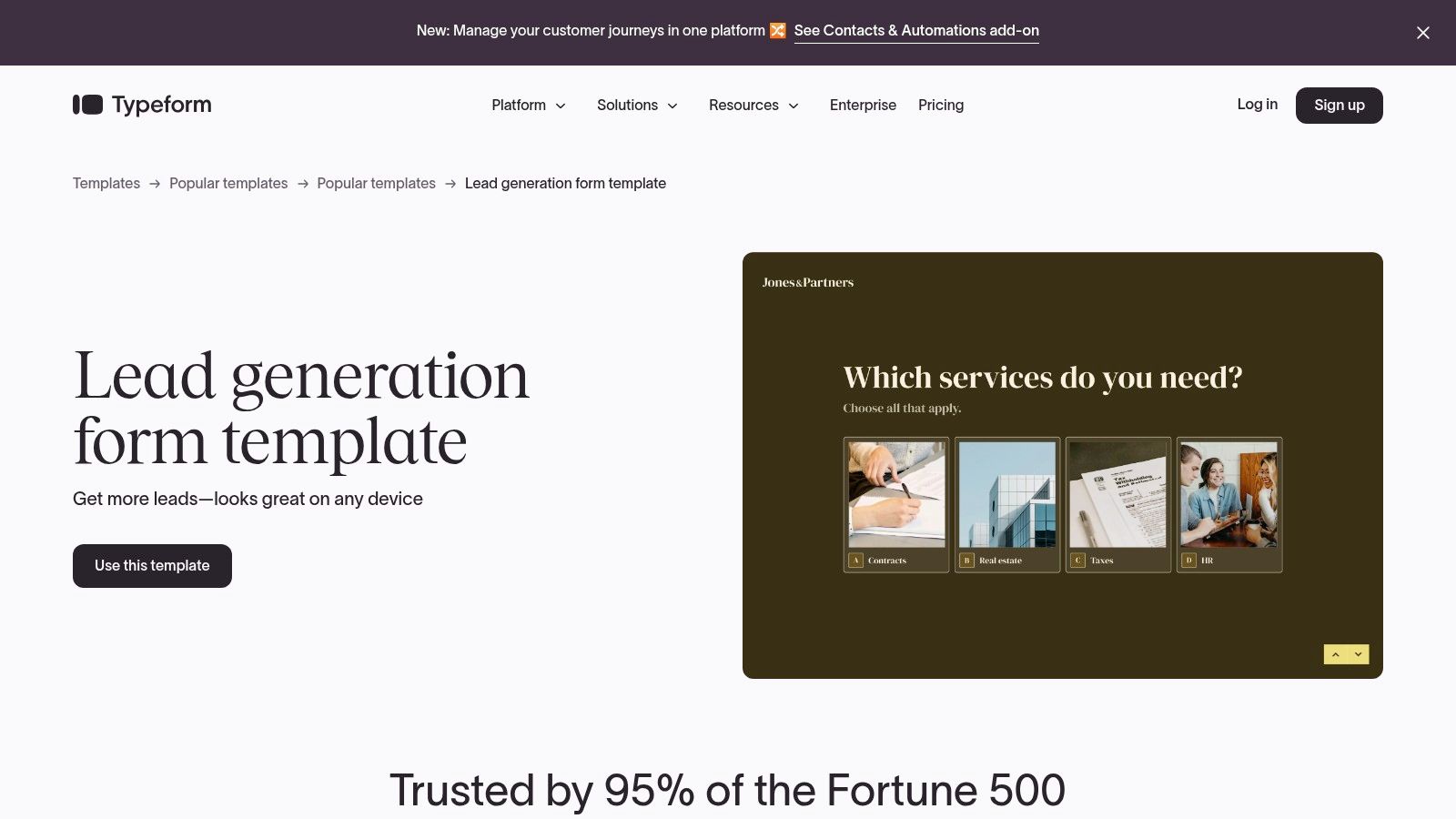
The platform stands out for its simplicity and elegant design. For non-technical marketers, Typeform is a game-changer. You can build a beautiful, mobile-responsive form in minutes without writing a single line of code. Its extensive template library, with over 3,000 options, provides a massive head start for any campaign, from simple contact forms to complex multi-step lead qualification surveys.
Key Features and Strategic Breakdown
- Conversational Experience: Typeform’s one-question-at-a-time format reduces cognitive load and encourages users to complete the form. This is a powerful tactic to decrease form abandonment rates, especially on mobile devices where long forms are intimidating.
- Conditional Logic: This feature allows you to create dynamic forms that adapt based on user answers. For lead generation, you can use it to qualify leads in real time, asking more detailed questions to high-value prospects while keeping it short for others.
- Seamless Integrations: With over 300 native integrations, including HubSpot, Salesforce, and Slack, you can automatically send lead data directly to your CRM or other marketing tools. This eliminates manual data entry and ensures your sales team gets leads instantly.
- Hidden Fields for Attribution: Typeform allows you to pass data into your forms without the user seeing it. This is perfect for capturing marketing attribution data like UTM parameters, referring source, or campaign names, which helps you understand where your best leads are coming from. For more details on this, you can explore how to use hidden fields in Typeform to track lead sources effectively.
Pricing and Plans
Typeform offers a tiered pricing structure, including a free plan that allows you to collect up to 10 responses per month.
- Free Plan: Good for very small projects or testing.
- Basic Plan: Starts at $25/month for 100 responses.
- Plus & Business Plans: Offer more responses, advanced features like logic jumps, and remove Typeform branding.
The main limitation is the response cap on lower-tier plans, so it's important to choose a plan that matches your expected lead volume.
Website: https://www.typeform.com/templates/lead-generation
2. Jotform
Jotform is a powerhouse form builder known for its massive library of templates and drag-and-drop simplicity. It empowers marketers to create and deploy sophisticated forms without any coding knowledge, making it a go-to for teams that need to launch campaigns quickly. With over 10,000 ready-made templates, Jotform provides an incredible starting point for virtually any lead generation form examples you can imagine, from B2B service inquiries to event registrations.
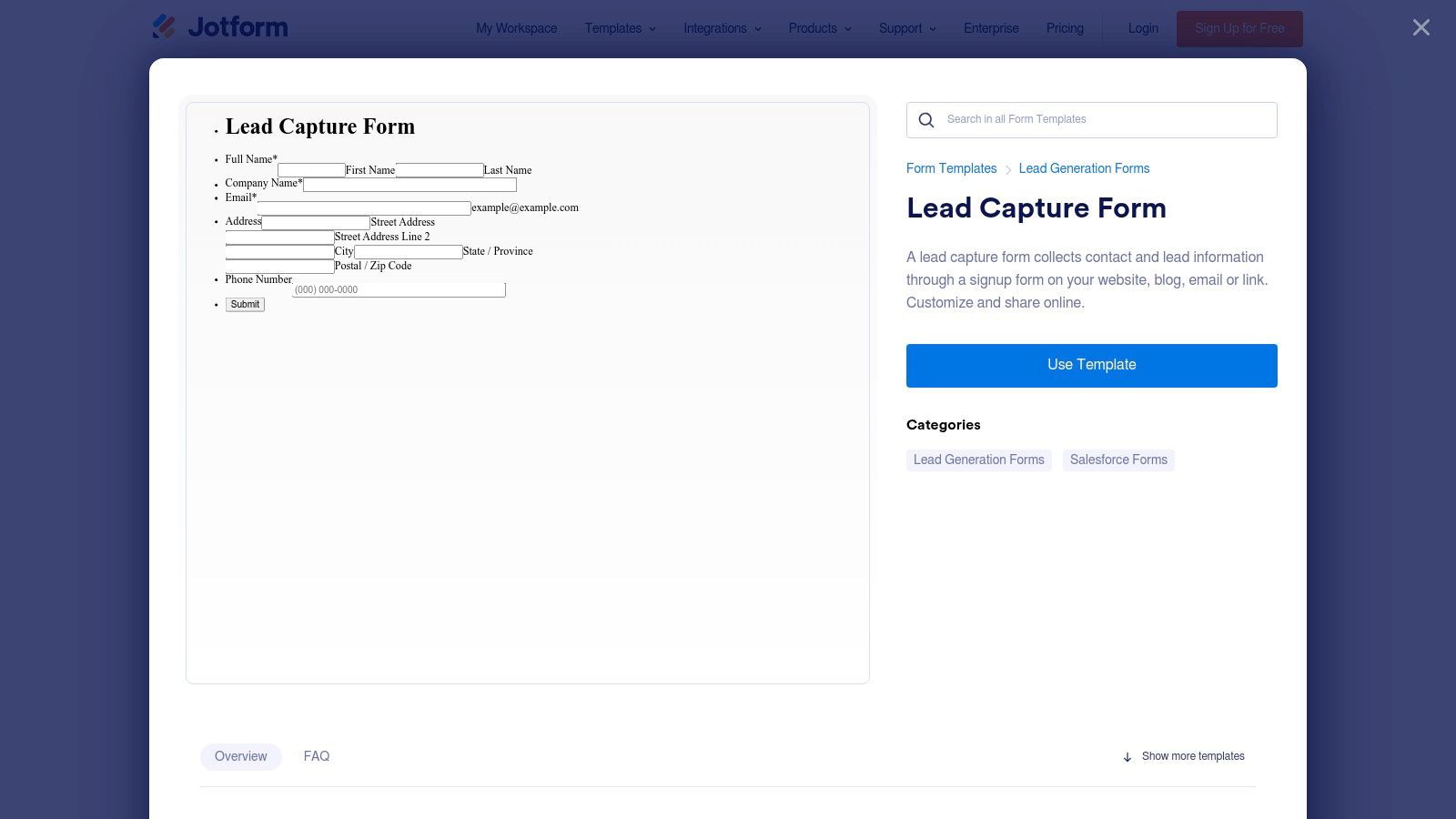
The platform's main advantage is its speed and versatility. You can select a template, customize it in the visual editor, and embed it on your site or share it via a link in minutes. This accessibility makes it ideal for small businesses and marketing agencies that need to manage multiple campaigns without getting bogged down in technical development. Its frequent template updates also ensure you have access to modern, effective designs.
Key Features and Strategic Breakdown
- 10,000+ Template Library: This is Jotform's standout feature. You can find a template for nearly any industry or use case, clone it with one click, and customize it. This drastically cuts down on setup time and provides proven layouts to start from.
- Drag-and-Drop Visual Editor: The intuitive editor allows for deep customization without code. You can add, remove, and rearrange form fields, apply custom branding, and set up conditional logic to create a dynamic user experience.
- Extensive Integrations: Like other top platforms, Jotform connects seamlessly with popular CRMs like HubSpot, Salesforce, and Pipedrive. This allows you to automate your lead management workflow, sending lead data directly where your sales team needs it.
- Flexible Sharing Options: You can embed forms directly onto your website, share them via a standalone link, or even generate a QR code. This flexibility is great for multi-channel marketing campaigns where leads might come from social media, email, or in-person events. For those wondering how to capture attribution data across these channels, you can discover how to track leads with Jotform and other form builders to better understand campaign performance.
Pricing and Plans
Jotform offers several plans, including a generous free tier that makes it highly accessible.
- Free (Starter) Plan: Allows up to 5 forms, 100 monthly submissions, and 100 MB of storage. A great option for testing or very low-volume needs.
- Bronze, Silver, & Gold Plans: These paid tiers increase submission limits, storage space, and remove Jotform branding. They also unlock advanced features like HIPAA compliance for healthcare-related forms.
The main limitation is that some of the more advanced features and higher submission volumes are reserved for the premium plans. However, its free plan is one of the most functional on the market.
Website: https://www.jotform.com/form-templates/lead-capture-form
3. HubSpot (Free Online Formaband uilder)
HubSpot offers a powerful and completely free online form builder that is seamlessly integrated into its world-class CRM. For marketers and small business owners already invested in the HubSpot ecosystem, this tool is a no-brainer. It eliminates the friction between lead capture and lead management by automatically creating contacts and storing submission data directly in the CRM, making it one of the most efficient lead generation form examples available.
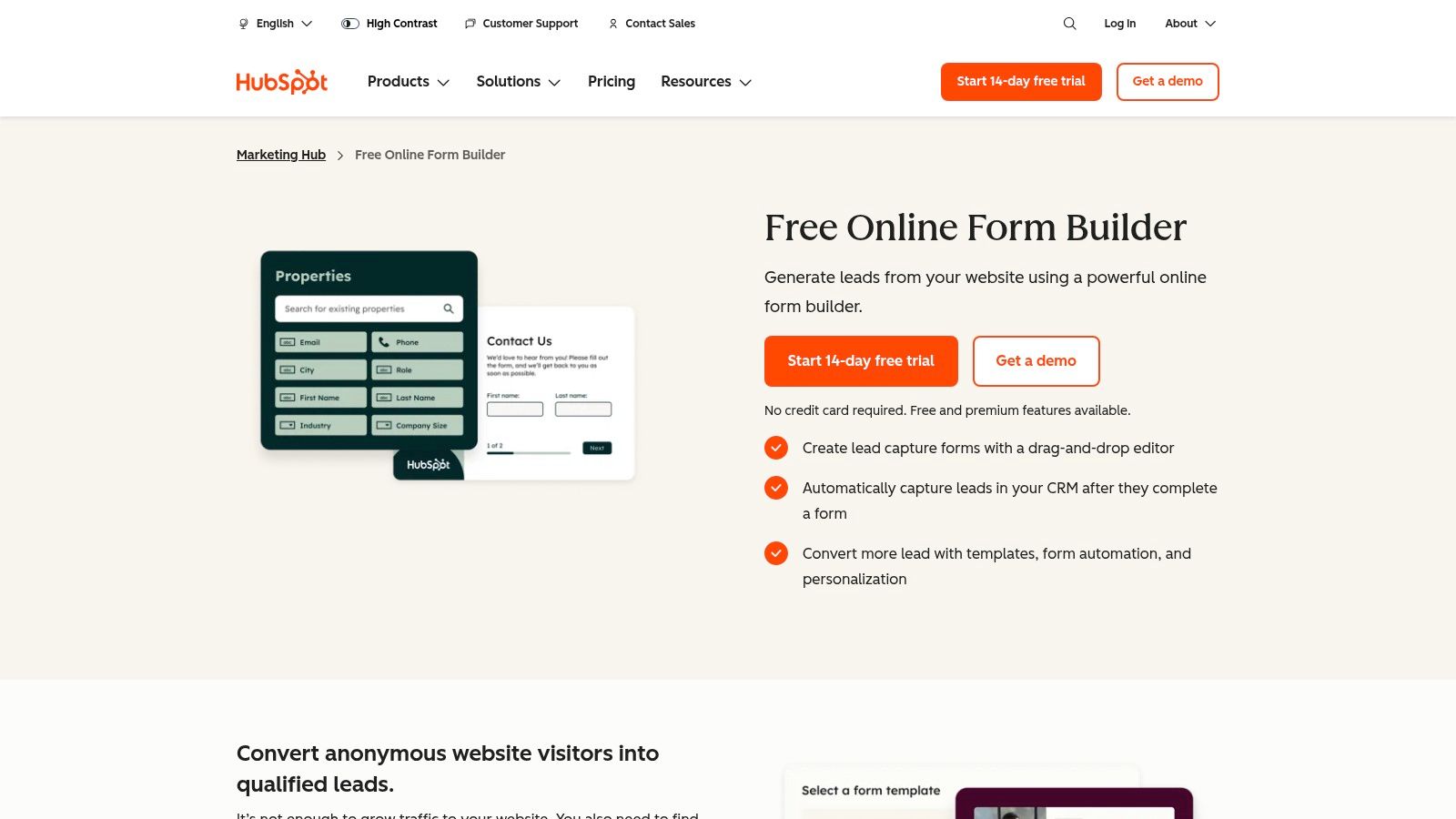
The platform is designed for ease of use, featuring a drag-and-drop editor that allows non-technical users to create and deploy forms in minutes. HubSpot provides pre-built templates for common use cases like newsletter sign-ups, event registrations, and contact forms. The true power, however, lies in its ability to connect form submissions directly to marketing automation workflows, creating a streamlined process from the first touchpoint to the final sale.
Key Features and Strategic Breakdown
- Automatic CRM Integration: Every submission automatically creates or updates a contact record in the HubSpot CRM. This centralizes all lead data, including form submission history and website activity, giving your sales team a complete picture of each prospect.
- Follow-up Automation: Once a lead is captured, you can trigger automated email sequences and internal notifications. This ensures immediate follow-up, which is critical for converting new leads while they are still highly engaged.
- Progressive Profiling (Paid): In HubSpot's paid Marketing Hub tiers, you can use progressive profiling to avoid asking repeat visitors for the same information. The form intelligently swaps out known fields for new ones, allowing you to gather more data over time without creating long, intimidating forms.
- Built-in Analytics: HubSpot provides robust reporting on form views, submission rates, and conversion performance. These insights help you identify bottlenecks and optimize your forms for better results. For more in-depth guidance, you can explore these form design best practices to improve your conversion rates.
Pricing and Plans
HubSpot's form builder is available for free as part of its broader suite of free marketing tools.
- Free Tools: Includes the form builder, CRM, email marketing, and live chat with unlimited forms and up to 1,000,000 contacts.
- Marketing Hub Starter: Begins at $18/month and removes HubSpot branding from forms.
- Professional & Enterprise Plans: Unlock advanced features like smart forms, progressive profiling, and more complex automation workflows.
The primary limitation of the free plan is the HubSpot branding on forms, but its core functionality is incredibly generous for businesses just getting started.
Website: https://www.hubspot.com/products/marketing/forms
4. Unbounce
Unbounce is a powerful landing page platform designed specifically for conversion-focused marketing. Instead of just building forms, Unbounce helps you create entire high-converting landing pages where your lead generation form is the star. This integrated approach is perfect for marketers running paid ad campaigns or launching new products where a dedicated, distraction-free page is essential for maximizing lead capture.
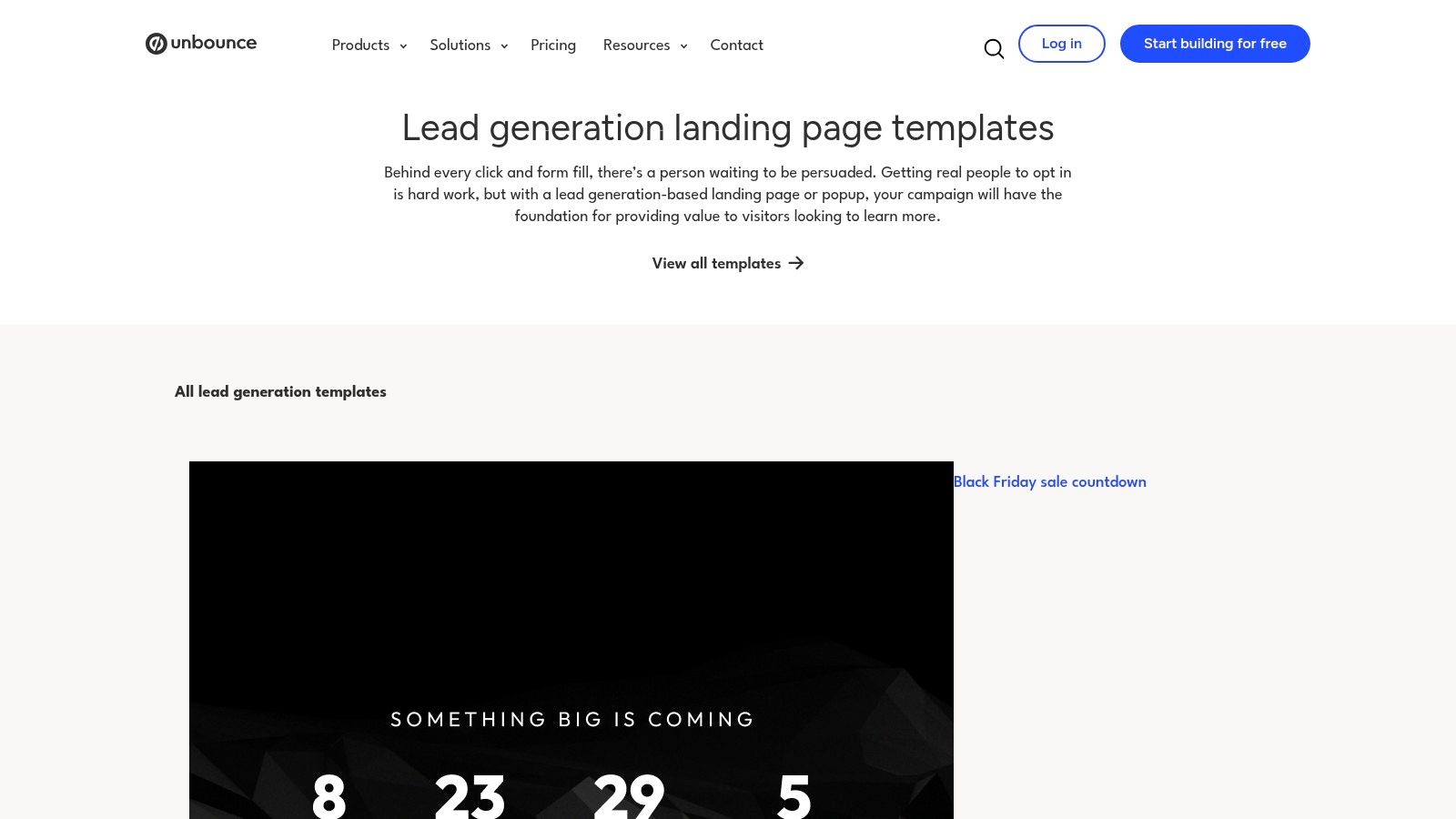
The platform empowers non-technical marketers with a drag-and-drop builder, making it easy to create beautiful, mobile-responsive pages in minutes. Its extensive library of over 100 templates offers proven layouts for various industries and goals, from B2B SaaS demo requests to webinar signups. This makes it an excellent source of lead generation form examples integrated into a complete conversion funnel.
Key Features and Strategic Breakdown
- Conversion-Optimized Templates: Unbounce’s templates are designed with conversion best practices in mind. They incorporate elements like clear value propositions, social proof, and strategically placed forms to guide users toward a single call to action, minimizing friction and maximizing submissions.
- A/B Testing: This is where Unbounce truly shines. You can easily test variations of your landing page, including form headlines, field labels, button copy, and even form length. This data-driven approach allows you to systematically improve your conversion rates without guesswork.
- Popups and Sticky Bars: Beyond landing pages, Unbounce lets you add lead capture forms to any page on your website using popups and sticky bars. You can trigger them based on user behavior, such as exit-intent, time on page, or scroll depth, to capture leads without disrupting the user experience.
- AI-Powered Copywriting: Unbounce's Smart Copy feature helps you overcome writer's block by generating high-converting copy for your headlines, buttons, and form descriptions. This accelerates the creation process and ensures your messaging is compelling and effective.
Pricing and Plans
Unbounce offers a 14-day free trial to test its features. Its plans are based on traffic volume and the number of conversions.
- Launch Plan: Starts at around $99/month, suitable for small businesses getting started.
- Optimize & Accelerate Plans: Offer higher traffic limits, A/B testing, and more advanced features like AI optimization.
- Concierge Plan: A high-tier plan for enterprise-level needs with dedicated support.
The primary limitation is the cost, which is higher than a standalone form builder, and the caps on traffic and conversions per plan.
Website: https://unbounce.com/landing-page-templates/lead-generation/
5. Webflow Template Marketplace
Webflow has revolutionized web design for non-developers, and its Template Marketplace is a goldmine for marketers needing high-converting landing pages fast. Instead of building from scratch, you can start with a professionally designed template that already incorporates best practices for layout, user experience, and form placement. This makes it an invaluable resource for finding effective lead generation form examples built directly into polished page designs.
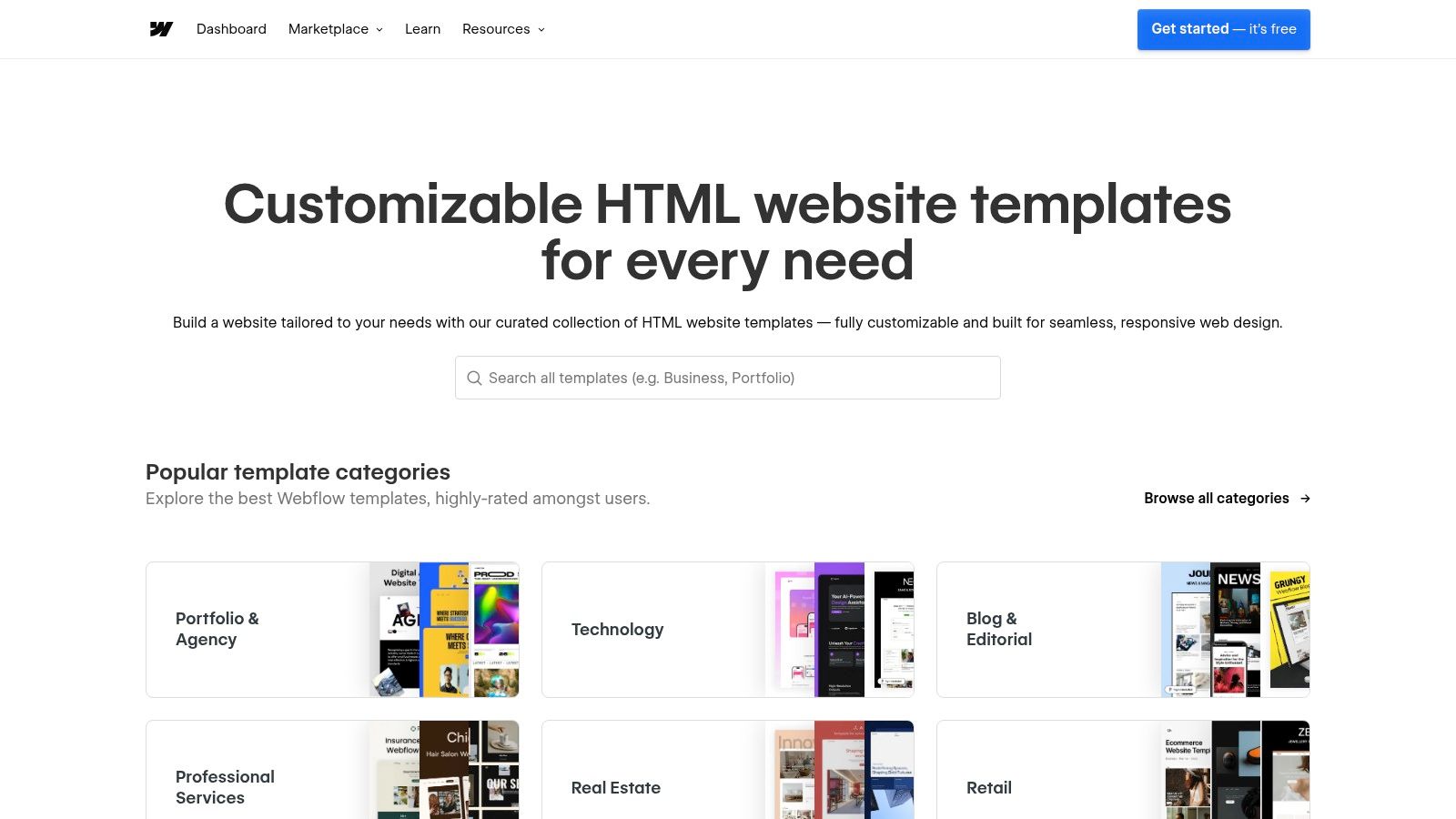
The platform’s key advantage is speed and quality. For marketers who need to launch campaigns quickly without sacrificing design, Webflow templates provide a complete, visually stunning solution. You get a fully functional page with pre-built, conversion-oriented sections like hero banners with integrated forms, benefit-driven layouts, and social proof elements. These templates are more than just forms; they are entire lead generation engines ready for customization.
Key Features and Strategic Breakdown
- Conversion-Oriented Design: Templates are built with lead capture in mind. They strategically place forms above the fold, use clear calls-to-action, and guide the user’s eye toward the submission button. This structure is based on proven conversion principles, giving you a head start.
- Built-in Webflow Forms: Each template's forms are pre-wired to Webflow’s native form handling system. This means you can start collecting leads immediately after publishing. Submissions are stored in your Webflow project settings and can be configured to send email notifications automatically.
- No-Code Visual Editing: The biggest draw for non-technical marketers is Webflow’s visual editor. You can change text, images, form fields, and colors without writing any code. This allows you to adapt a template to your brand and campaign messaging in minutes, not days.
- Advanced Integration Potential: While Webflow forms work out of the box, they can be connected to hundreds of other apps using tools like Zapier or Make. This allows you to send lead data directly to your CRM (like HubSpot or Salesforce), a spreadsheet, or a project management tool, automating your entire lead management workflow.
Pricing and Plans
Webflow templates are available at various price points, including a selection of high-quality free options.
- Free Templates: A great starting point for simple projects or for learning the platform.
- Premium Templates: Paid templates typically range from $29 to $129 (one-time fee). They often offer more complex layouts, additional pages, and premium design features.
To publish a site using a template, you will need a Webflow hosting plan, which starts at around $14/month for basic sites.
Website: https://templates.webflow.com
6. ThemeForest (Envato)
ThemeForest by Envato is a massive marketplace for website templates, including thousands of pre-built landing pages designed specifically for lead capture. Instead of building from scratch, marketers can purchase an affordable, professionally designed HTML or landing page builder template that already includes a functional form. This makes it an invaluable resource for finding diverse lead generation form examples and getting a campaign live quickly.
The platform stands out for its sheer volume and variety. You can find templates for nearly any niche, from B2B SaaS to local services, often complete with working PHP scripts or integrations for services like Mailchimp. For marketers who want a high-quality design without the high cost of a custom build, ThemeForest offers a practical middle ground. You get a head start on both the visual layout and the functional form itself.
Key Features and Strategic Breakdown
- Vast Template Library: With thousands of templates tagged for "lead generation," you can browse countless form layouts, field combinations, and CTA designs. This is perfect for research and inspiration, allowing you to see what’s working across different industries without having to build and test everything yourself.
- Live Previews and Feature Lists: Nearly every template includes a live demo, so you can interact with the form before you buy. Sellers clearly list features, such as "Working Mailchimp Form" or "Contact Form 7 Ready," which helps non-technical users find a template that meets their technical requirements.
- Filters for Specific Platforms: You can easily filter your search for templates compatible with specific platforms like Unbounce, WordPress, or standalone HTML. This ensures you find a solution that fits directly into your existing marketing stack, reducing implementation friction.
- One-Time Purchase Model: Unlike subscription-based builders, ThemeForest operates on a one-time licensing fee per template. This makes it an extremely cost-effective option for launching single campaigns or building out a microsite for a specific lead magnet.
Pricing and Plans
ThemeForest's pricing is based on a per-template license, which is a key advantage for budget-conscious marketers.
- HTML/Landing Page Templates: Typically range from $8 to $25 for a standard license.
- WordPress Themes with Lead Gen Focus: Usually cost between $39 and $79.
The main consideration is that some HTML templates may require basic coding knowledge to connect the form to your email marketing service or CRM. Always check the template’s documentation and comments section to gauge the setup complexity.
Website: https://themeforest.net/search/lead%20landing%20page
7. OptinMonster
OptinMonster is a powerful lead-capture platform specializing in on-site conversion campaigns. Instead of focusing on standalone form pages, it excels at creating high-converting popups, slide-ins, floating bars, and inline forms that appear based on user behavior. This proactive approach allows you to present the right offer at the right moment, making it an excellent source for lead generation form examples that grab attention and drive action.
The platform is built for marketers who want to quickly deploy conversion-optimized campaigns without needing to code. Its major strength lies in its advanced targeting and trigger rules, such as the famous Exit-Intent® technology, which displays a form just as a user is about to leave your site. This gives you one last chance to capture a lead you would have otherwise lost.
Key Features and Strategic Breakdown
- Diverse Campaign Types: OptinMonster offers a wide range of formats beyond a simple embedded form. You can use popups for high-impact offers, floating bars for site-wide announcements, slide-ins for less intrusive suggestions, and inline forms that blend seamlessly with your content. This versatility lets you match the form's intrusiveness to the value of your offer.
- Behavioral Targeting and Triggers: This is OptinMonster's standout feature. You can trigger forms based on scroll depth, time on page, a specific click, or a user's inactivity. Its Exit-Intent® technology is particularly effective for reducing cart abandonment or capturing newsletter subscribers before they bounce. This ensures your forms are relevant and timely, not just annoying.
- A/B Testing and Analytics: You can easily test different headlines, images, fields, and calls to action to see what resonates with your audience. The built-in analytics dashboard provides clear insights into which campaigns are performing best, allowing you to make data-driven decisions to optimize your lead generation efforts continuously.
- Vast Template Library: With over 700 professionally designed and customizable templates, you never have to start from scratch. You can filter templates by goal (like growing an email list or redirecting traffic) and industry, which provides a massive head start in creating a form that is already optimized for a specific outcome.
Pricing and Plans
OptinMonster’s pricing is based on features and campaign impressions (pageviews where your campaigns are active).
- Basic Plan: Starts at $9/month, offering essential features for one site with a cap on impressions.
- Plus Plan: At $19/month, it adds more features like A/B testing and more integrations.
- Pro & Growth Plans: These higher-tier plans unlock advanced features like Exit-Intent®, more campaign types, and priority support for multiple sites.
The impression-based pricing means you need to monitor usage on high-traffic websites to avoid unexpected costs. However, its powerful targeting helps keep campaigns highly relevant and effective.
Website: https://optinmonster.com/templates/
Lead Generation Forms — 7-Tool Comparison
| Tool | Implementation complexity 🔄 | Resource requirements ⚡ | Expected outcomes ⭐📊 | Ideal use cases 💡 | Key advantages ⭐ |
|---|---|---|---|---|---|
| Typeform | Low — no code, drag-and-drop | Low dev; subscription limits on responses & branding | High completion rates, mobile-optimized leads | Mobile-first lead forms, surveys, non-technical marketers | Polished UX, conditional logic, deep integrations |
| Jotform | Very low — template clone + visual editor | Low dev; many templates; some features on higher tiers | Fast deployment, varied form types, reliable CRM capture | Quick launches, industry-specific templates, CRM mapping | Massive template library, one-click use, wide integrations |
| HubSpot (Free) | Low–Medium — simple builder; advanced features paid | Requires HubSpot account; best with CRM in use | Direct CRM capture, automated follow-up, scalable nurturing | Teams using HubSpot, lead-to-workflow automation | CRM-native capture, reporting, strong docs/training |
| Unbounce | Medium — landing-page focused builder, A/B testing | Higher cost; design/time investment; plan limits | Conversion-optimized pages, measurable lift via tests | Campaign landing pages, conversion experimentation | Conversion templates, A/B testing, popups & sticky bars |
| Webflow Template Marketplace | Low–Medium — visual editing; template adaptation | Requires Webflow hosting/plan; may need Zapier for integrations | Polished, fast-to-publish pages when on Webflow | Designers/agencies using Webflow, polished sites fast | Visual design control, best-practice layouts, Figma bundles |
| ThemeForest (Envato) | Medium — may need dev for HTML templates | One-time purchase; potential developer setup | Affordable designs; variable quality and update frequency | Budget projects, developers customizing templates | Wide choice by niche, low one-time cost |
| OptinMonster | Low — campaign builder for on-site campaigns | Billed by impressions; ongoing management for campaigns | Increased on-site capture via targeted triggers | Exit-intent, behavior-based popups, list growth | Strong targeting triggers, many campaign types, analytics |
Turn Your Forms Into Your Best Lead Generation Engine
You’ve explored a wide range of powerful lead generation form examples, from conversational Typeform quizzes to high-converting Unbounce landing pages and simple Webflow contact forms. The journey from a basic "Contact Us" page to a strategic, data-capturing powerhouse is not about finding one perfect template; it's about understanding the core principles that make these examples work. The key isn't just what you ask, but how, where, and why you ask it.
The most effective forms share common traits: they are simple, context-aware, and built on a foundation of trust. They reduce friction by asking for only what is necessary at that specific stage of the buyer's journey. A newsletter signup asks for an email, while a B2B demo request rightfully asks for more qualifying information like company size or job title. This strategic approach turns a passive data collection tool into an active conversation starter.
Your Action Plan for Better Lead Generation
As we've seen, building a better form is an iterative process. Here’s a quick summary of the most critical takeaways to help you transform your own lead generation efforts:
- Match the Form to the Offer: The perceived value of your offer must outweigh the "cost" of filling out the form. A comprehensive ebook can justify asking for a phone number; a simple newsletter subscription cannot.
- Embrace Progressive Profiling: Tools like HubSpot allow you to ask for different information each time a known contact visits. This builds a richer profile over time without overwhelming them in a single interaction.
- Prioritize the User Experience: Use clear microcopy, logical field order, and mobile-responsive designs. Features like multi-step layouts (seen in Typeform and Jotform) break down long forms into digestible chunks, significantly boosting completion rates.
- Never Neglect Attribution: Knowing which marketing channels drive your best leads is non-negotiable. Implementing no-code tools like Attributer or LeadPulse to automatically capture UTM parameters in hidden fields is the single most impactful step you can take to understand your marketing ROI.
Choosing the Right Tool for the Job
Selecting the right platform depends entirely on your current tech stack and specific goals. If you're a Webflow user, starting with a template from the marketplace and enhancing it is a fast and effective option. For marketers needing to A/B test landing pages and forms rigorously, a dedicated tool like Unbounce is indispensable. If you’re already invested in a CRM, leveraging its native form builder (like HubSpot's) ensures seamless data integration.
Once your forms are optimized and capturing high-quality leads, the next critical step is managing that data effectively. A well-organized CRM is the backbone of any successful lead generation strategy, ensuring no lead falls through the cracks. For those looking to streamline this process, understanding how to handle incoming data is crucial, and you can learn more about managing form submissions with CRM to get started.
Ultimately, the best lead generation form examples are more than just a collection of fields. They are the result of thoughtful strategy, a deep understanding of the target audience, and a commitment to continuous improvement. By applying the principles and tactics from the examples we've analyzed, you can turn every form on your website into a reliable, high-performing engine for business growth.
Tired of wondering which marketing campaigns are actually generating leads in your CRM? LeadPulse automatically captures UTM and attribution data from your forms and sends it straight to your sales tools, no code required. See exactly where your best leads come from and start making data-driven marketing decisions today with LeadPulse.
7 Actionable Example of Marketing Dashboard Layouts for 2026
Discover a top example of marketing dashboard you can build today. Get templates for lead attribution, SEO, and more to track the KPIs that matter.
A Simple Guide to LinkedIn UTM Parameters
Tired of missing lead data? Learn how to use LinkedIn UTM parameters to track every lead from ads and posts directly into your CRM. A step-by-step guide.