Unlock the Power of b2b marketing attribution for ROI
At its core, B2B marketing attribution is all about connecting the dots between your marketing efforts and actual sales. Think of it as the "game tape" for your marketing team—it shows you every single touchpoint that helped score a new customer. This kind of clarity is a lifesaver for B2B companies, especially when you're dealing with long sales cycles where a prospect might interact with your brand dozens of times before they ever sign a contract.
Why B2B Marketing Attribution Matters More Than Ever

Picture your marketing strategy as a soccer team. You've got SEO, paid ads, social media, and content all playing different positions on the field. Without attribution, you only see who kicked the final goal—the sale. You have no idea about the crucial passes, defensive plays, and assists that set up the shot. You're left guessing which players are actually contributing to the win.
This is a huge source of frustration for B2B marketers. The path from a curious visitor to a paying customer is almost never a straight line. A typical journey can take months, involve multiple people from the same company, and include everything from a LinkedIn ad to a downloaded whitepaper and, finally, a demo request. It's no surprise that a whopping 58% of B2B marketers feel their analytics are falling short; the complexity is just too much for basic tools to handle.
The Problem With a Lack of Visibility
When you can't see which marketing channels are bringing in high-quality leads, you end up making bad decisions with your budget. You might be pouring money into channels that look busy—generating plenty of clicks and impressions—but aren't actually producing any revenue. This creates a dangerous gap between your marketing activities and real business growth.
Without solid attribution, you're essentially flying blind. You can't answer the most basic, yet critical, questions:
- Which blog posts are actually bringing in qualified demo requests?
- Are our Google Ads campaigns leading to closed-won deals, or are they just attracting tire-kickers?
- How much revenue did our last webinar series really influence?
Answering these questions is the whole point of B2B marketing attribution. It’s about getting past vanity metrics and drawing a clear, undeniable line from every dollar spent to every dollar earned.
The Shift to an Account-Level Focus
Unlike B2C, where you're usually marketing to one person, B2B sales almost always involve a buying committee. You might have an end-user, an IT manager, and a CFO all weighing in on the decision. Good B2B marketing attribution gets this. It tracks interactions at the account level, not just the individual contact.
This approach pieces together the full story of how different people from a single company engage with your brand over time. Seeing that complete picture is crucial. It helps you tailor your marketing to speak to the entire buying group, not just the one person who filled out a form.
Ultimately, attribution gives you a practical, data-driven roadmap. It helps you finally align your marketing and sales teams around the one goal that matters: revenue. You can make smarter decisions, prove your team's value, and confidently invest in the strategies that you know will grow the business.
Choosing the Right B2B Attribution Model
Deciding how to assign credit for a sale is one of the most critical steps in building a reliable B2B attribution system. Different methods, known as attribution models, tell completely different stories about what’s working. Picking the right one is like choosing the right lens for a camera—each brings a different part of the picture into focus.
Think of your customer’s journey as a relay race. A prospect might see a LinkedIn ad, then read a blog post found on Google, attend a webinar, and finally click a link in an email to request a demo. Which runner gets the gold medal? An attribution model is simply the rulebook you use to decide.
Single-Touch Attribution Models
The most straightforward models are single-touch, meaning they give 100% of the credit to just one marketing interaction. They're incredibly easy to set up, but they often paint an incomplete picture of a long and winding B2B sales cycle.
First-Touch Attribution: This model is like crediting the friend who first introduced you to your favorite band. It gives all the credit to the very first marketing touchpoint that brought a lead into your world. This is fantastic for understanding which channels are best at generating initial awareness and filling the top of your funnel.
Last-Touch Attribution: On the flip side, this model gives all the credit to the final interaction right before a lead converts. It’s like crediting the last ad that convinced you to buy a concert ticket. This is useful for pinpointing which marketing efforts are most effective at actually closing deals.
The big problem with single-touch models is that their simplicity is also their biggest weakness. They completely ignore every other interaction, which can lead you to undervalue channels that play a crucial supporting role in the middle of the journey.
Multi-Touch Attribution Models
For most B2B companies, the real story happens in the middle of the journey. Multi-touch attribution models acknowledge this by distributing credit across multiple touchpoints, giving you a much more balanced and realistic view of your marketing performance.
By spreading credit across various interactions, multi-touch attribution helps you see the entire field, not just the player who scored the final goal. It recognizes the teamwork involved in converting a complex B2B deal.
Let's break down the most common multi-touch approaches.
Linear Attribution: This model is the ultimate team player. It divides credit equally among every single touchpoint in the customer's journey. If a lead had five interactions, each one gets 20% of the credit. It’s simple, fair, and ensures no channel is completely ignored.
Time-Decay Attribution: This model works on the assumption that more recent interactions are more influential. It gives the most credit to the touchpoints closest to the sale and progressively less to earlier ones. This can be effective for longer sales cycles where a final push is often what gets a deal over the line.
U-Shaped Attribution: This model gives the most credit to the bookends of the early journey—the very first touch (that created awareness) and the lead creation touch (the moment they became a lead). It typically assigns 40% of the credit to each of these, with the remaining 20% spread across all the interactions in between.
W-Shaped Attribution: Taking it a step further, this model highlights three key milestones: the first touch, lead creation, and opportunity creation (when sales officially accepts the lead). It usually gives 30% of the credit to each of these three main events, with the final 10% spread across any other touchpoints.
Comparing Common B2B Attribution Models
To make it even clearer, here’s a quick rundown of how these models stack up against each other for B2B marketing.
| Attribution Model | How It Works (Analogy) | Best For B2B When... | Potential Blind Spot |
|---|---|---|---|
| First-Touch | The "first impression" model. Credit goes to the first ad, blog, or social post someone saw. | You're focused purely on demand generation and filling the top of your funnel. | Ignores everything that happens after the initial contact. |
| Last-Touch | The "closer" model. The final touchpoint before conversion gets all the glory. | Your sales cycles are short and you want to know what pushes leads over the finish line. | Under-values channels that build awareness and nurture leads early on. |
| Linear | The "everyone gets a trophy" model. Credit is split evenly across all touchpoints. | You want a simple, balanced view and value every interaction equally. | Treats a quick website visit the same as a 1-hour webinar attendance. |
| Time-Decay | The "what have you done for me lately?" model. More recent touches get more credit. | You have long sales cycles and believe the final interactions are most persuasive. | Can discount the importance of early, brand-building touchpoints. |
| U-Shaped | The "opener and converter" model. Focuses on what started the journey and what created the lead. | Your top priorities are lead generation and understanding what brings prospects in. | Minimizes the value of mid-funnel nurturing activities. |
| W-Shaped | The "full journey" model. Highlights first touch, lead creation, and opportunity creation. | You have a distinct sales handoff and want to credit marketing's role through to that point. | Can be more complex to set up and may not fit every sales process. |
Ultimately, choosing a model isn't about finding a single "correct" answer. It's about finding the one that best reflects your unique sales process and helps you answer your most important business questions.
Understanding these different frameworks is the first step toward building a system that truly reflects your sales process. For a deeper dive into how these models work in practice, you can learn more about multi-channel attribution modeling in our guide. The best choice always depends on your business goals, sales cycle length, and what you’re trying to optimize.
Connecting Marketing Efforts to Sales Outcomes
One of the biggest frustrations in B2B marketing is the massive disconnect between the leads you generate and the deals sales actually closes. We’ve all been there—celebrating a record-breaking month for leads, only to find out later that very few turned into actual revenue.
This isn't just a minor hiccup; it's a critical attribution failure. Think of your marketing funnel as a leaky bucket. You pour leads in the top from SEO, paid ads, and social media, but most of them spill out before ever becoming a customer.
The Staggering MQL to Customer Drop-Off
Just how bad is that leak? Worse than you might think. The average conversion rate from a Marketing Qualified Lead (MQL) to a Sales Qualified Lead (SQL) is a mere 13%.
That means for every 1,000 leads you pass over, sales only agrees that 130 are worth their time. That’s a staggering 87% drop-off, and it points to a massive blind spot. Without a clear way to trace which channels are bringing in all those low-quality leads, you end up pouring more money into the leaks instead of patching them.
This is where B2B marketing attribution comes in. Without it, you’re just guessing. You might see a campaign generating a ton of leads and decide to double your spend, only to discover none of them ever made it past the first sales call. This is exactly how marketing budgets get wasted on activities that feel productive but deliver zero real-world ROI.
Tracing the Complete Customer Journey
A good attribution system closes this gap by tracking a lead's entire journey, from their very first website visit to the moment they become a closed-won deal in your CRM. It connects every marketing touchpoint—every ad click, blog post read, and webinar attended—to the final sales outcome.
This creates a clear, undeniable link between your marketing efforts and the revenue they generate.
Suddenly, marketing and sales are looking at the same playbook. Instead of arguing over lead quality, both teams can see precisely which channels are delivering high-value customers who are actually ready to talk.
When you connect marketing activities directly to sales outcomes, you shift the conversation from "How many leads did we generate?" to "How much revenue did our campaigns produce?" This is the fundamental goal of effective B2B marketing attribution.
To understand how different attribution models help us see this journey, it helps to think of them as different lenses.
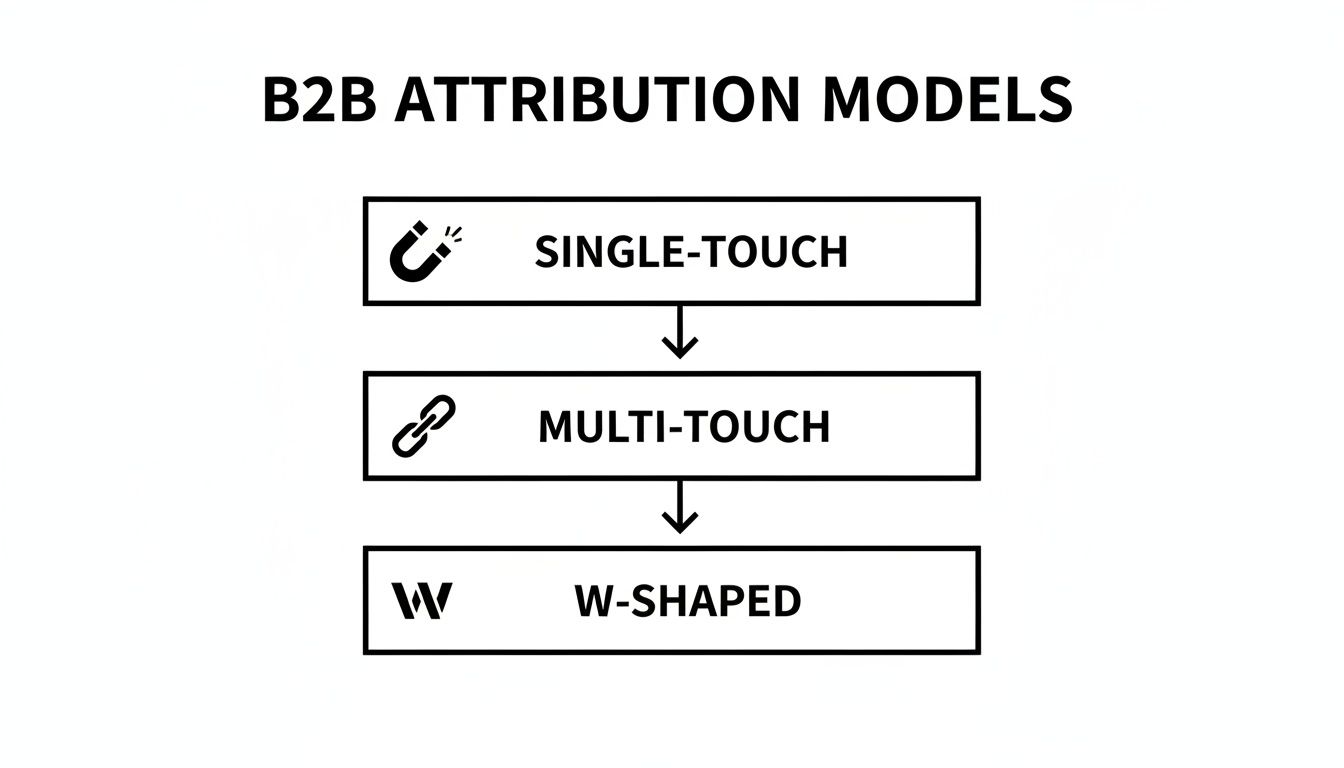
This visual breaks down how models can be as simple as giving all the credit to one touchpoint (Single-Touch) or as sophisticated as distributing credit across key interactions (Multi-Touch and W-Shaped). Each model gives you a slightly different perspective on what’s working.
Patching the Leaks with Data
Once you have this clarity, you can finally start making smart, data-driven decisions. As you track your various marketing efforts, including organic search, it’s crucial to have the right tools for optimizing a key marketing channel like SEO.
Here’s how attribution helps you "patch the leaks" in your funnel:
- Identify Underperforming Channels: You can instantly see which campaigns are bringing in lots of MQLs but very few closed deals. This tells you it's time to investigate the messaging, targeting, or offer for that channel.
- Double Down on Winners: On the flip side, you can spot the channels that consistently deliver high-value customers. This data gives you the confidence to move your budget and invest more in what’s actually working.
- Optimize the Customer Journey: By looking at the touchpoints of your best customers, you can map out their ideal path and start guiding new leads down that same proven route, which helps improve conversion rates across the board.
By connecting every marketing action to a sales outcome, attribution stops being a theoretical exercise and becomes a practical tool for growing revenue. You're no longer just generating leads; you're building a more efficient and predictable marketing engine.
How to Set Up Attribution Without Writing Code
Not long ago, setting up proper B2B marketing attribution felt like a major IT project. It usually meant roping in a developer for a complex and time-consuming build. Thankfully, those days are over.
Modern tools have completely changed the game, allowing any marketer to get powerful tracking up and running with a simple, low-code approach. You can often set it up once and just let it work its magic in the background.
The whole process is surprisingly simple. It all comes down to capturing lead source data the moment a visitor hits your site, passing that info into your web forms, and then pushing it into your CRM. This creates a crystal-clear connection between your first marketing touchpoint and the final sale.
This method puts serious attribution power in your hands, no matter the size of your business. You don’t need to touch a line of JavaScript or get lost in Google Tag Manager.

Step 1: Capture Attribution Data on Your Website
First things first: you need to automatically grab key marketing data for every single visitor. Think of it like a digital passport stamp that records where they came from and how they found you.
A good attribution tool will run quietly on your site, identifying and recording the important details of each visitor's journey.
It pinpoints information like:
- Channel: Where did they come from? (e.g., Organic Search, Paid Social, Referral)
- Source: Which specific site or ad network sent them? (e.g., Google, LinkedIn, Capterra)
- Campaign: Which ad campaign caught their eye? (e.g., Q4_Demo_Campaign)
- Keyword: What did they type into the search bar? (e.g., "b2b crm software")
- Landing Page: What was the very first page they saw on your site?
This data is then neatly stored in the visitor’s browser, waiting to be linked to their profile as soon as they decide to raise their hand.
Step 2: Pass Data Into Your Web Forms
With the data captured, the next move is to get it into your lead forms. This is where the real connection happens, and it’s much simpler than you might think. The secret weapon here is hidden fields.
These are form fields that your visitors can't see, but your attribution tool can fill them in automatically. So, when someone fills out your "Request a Demo" form, the tool seamlessly injects all that marketing data right alongside their name and email.
Using hidden fields is the critical link in a no-code attribution setup. It ensures you capture vital marketing context the moment a visitor becomes a lead, all without cluttering the user experience.
This works with pretty much any form builder you’re already using, whether it’s Gravity Forms, Typeform, or the native forms in HubSpot. If you want a more detailed walkthrough, you can learn more about how to use hidden fields in your forms to nail this part of the process.
Step 3: Store Attribution Data in Your CRM
The final and most crucial step is making sure all this rich data lands safely in your CRM. When a lead hits "submit" on a form, all the information—both the visible stuff and the hidden marketing data—is sent directly to your CRM, like Salesforce, HubSpot, or Pipedrive.
This action permanently attaches the lead's origin story to their contact record. From that day forward, whenever you look up that person or their company, you’ll see exactly how they found you. Was it that LinkedIn campaign from last quarter? Or that one blog post that’s finally ranking on Google?
Storing this information in your CRM is what ultimately allows you to connect the dots between marketing spend and actual revenue. It creates a single source of truth where marketing and sales can finally see the full customer journey, laying the foundation for reports that prove the true ROI of your work.
Building Reports That Prove Marketing ROI
Getting all your attribution data into your CRM is a massive step forward, but the data itself doesn't tell the whole story. The real magic happens when you transform that raw information into simple, powerful reports that clearly show how marketing impacts the company’s bottom line.
This is the final, crucial step where you connect your day-to-day work directly to revenue. It’s how you shift the conversation from vanity metrics like clicks and impressions to what leadership actually cares about: return on investment. Best of all, you can build these reports right inside your CRM without needing any fancy analytics tools.
Start with a Leads by Channel Report
Before you jump straight into revenue, it’s a good idea to get a solid baseline of where your leads are actually coming from. A "Leads by Channel" report is the perfect place to start. It gives you a simple but incredibly insightful view by grouping all your new leads by their original marketing channel.
This report helps you answer some pretty fundamental questions:
- Which channel is bringing in the most leads?
- Are our SEO efforts paying off with more organic search leads?
- How many leads did that last paid social campaign generate?
To build this, you just create a report in your CRM that counts new contacts created within a certain timeframe (say, the last quarter). Then, group those contacts by the "Channel" field that your attribution tool is automatically filling in. This gives you a fantastic high-level overview of your lead generation engine.
The Ultimate Goal: Revenue by Channel
While lead volume is great, revenue is what truly matters. The "Revenue by Channel" report is easily the most powerful tool in any B2B marketer’s toolkit. This is where you directly connect your marketing activities to closed-won deals, giving you undeniable proof of your ROI.
This report is set up just like the leads report, but with one critical difference. Instead of counting all leads, you filter it to only include contacts tied to 'Closed-Won' deals. From there, you just sum up the total revenue from those deals and group it by the marketing channel.
This single report transforms your role. You are no longer just a "lead generator" but a "revenue driver." It allows you to confidently show which marketing channels are not just busy, but profitable.
For example, your "Leads by Channel" report might show that paid social brings in the most leads. But the "Revenue by Channel" report could reveal that organic search, while producing fewer leads, generates three times more actual revenue. That’s the kind of game-changing insight that reshapes your entire marketing strategy and budget.
Building these reports means you can have meaningful, data-backed conversations with your leadership team. When they ask, "What's the return on our marketing investment?" you'll have a clear, confident answer. Beyond just calculating ROI, knowing how to maximize it is key. For a deep dive into measuring and improving your financial returns, check out this excellent article on What Is Marketing ROI And How Do You Maximize It?.
Visualizing Your Impact with a Dashboard
Once you have these core reports built, you can pull them together into a simple marketing dashboard inside your CRM. A good dashboard gives you an at-a-glance view of your most important metrics, making it easy to track performance and share results with the rest of the team. To see how to present this information effectively, check out our guide on creating a powerful marketing attribution dashboard.
A typical dashboard might include:
- Total Leads Generated (This Quarter): A big, clear number showing your overall lead volume.
- Leads by Channel (Pie Chart): A quick visual breakdown of where leads are coming from.
- Total Revenue from Marketing (This Quarter): The total dollar value of closed-won deals from marketing-sourced leads.
- Revenue by Channel (Bar Chart): A comparison chart showing which channels are your true money-makers.
This straightforward setup gives you everything you need to prove your worth and make smarter, data-driven decisions that actually grow the business.
Common B2B Marketing Attribution Questions
Even with a solid plan, getting started with marketing attribution can feel like you're opening a can of worms. It’s a complex topic, and what works for one company can be a total miss for another.
Let's walk through some of the most common questions that pop up when marketers try to connect their campaigns to actual revenue.
What Is the Best Attribution Model for B2B?
This is the big one, but the honest answer is a bit of a letdown: there is no single "best" model. The right choice for you really hinges on what you’re trying to achieve, how long your sales cycle is, and the questions you need answers to.
For example, if you just want to know which channels are bringing new people to your doorstep, a First-Touch model will tell you that. On the flip side, if you're laser-focused on what sealed the deal, the Last-Touch model gives you that final piece of the puzzle.
But for most B2B companies, the buyer's journey is long and winding. That's where a multi-touch model, like a W-Shaped or Linear model, usually gives a more complete and realistic picture by acknowledging that lots of different interactions played a role.
The best way forward is to pick a model that helps you answer your most pressing business questions. And don't be afraid to run a couple of different models at the same time—it's a great way to get different angles on what's really working.
How Do I Track Offline Marketing Efforts?
Figuring out how to track things like trade shows, conference sponsorships, or direct mail is an age-old marketing headache. But it's totally manageable. The trick is to create a digital handshake between your offline and online worlds.
Here are a few simple ways to do it:
- Unique URLs or QR Codes: Create landing pages with special URLs just for that event, or slap a QR code on your flyers. When someone visits, you know exactly where they came from.
- Dedicated Phone Numbers: Use a call-tracking service to assign a unique phone number to each offline campaign. It's a dead giveaway for how they found you.
- Manual CRM Entry: Honestly, sometimes the simplest solution works best. Just train your sales team to consistently ask, "So, how did you hear about us?" and log it in a "Lead Source" field in your CRM.
By creating these simple tracking points, you can pull your offline marketing into your reports and see how much it's actually contributing to your pipeline.
Should I Focus on Lead-Level or Account-Level Attribution?
Starting with lead-level attribution makes sense, but in B2B, you're almost never selling to just one person. A whole team of people is usually involved in any big purchase decision. If you ignore that, you're missing most of the story.
This is why account-level attribution is so important in B2B. It bundles all the touchpoints from everyone at the same company, giving you a complete view of your marketing's influence on the entire buying committee. You can see everything from the analyst who downloaded a whitepaper to the VP who signed up for the final demo.
You should absolutely aim for an account-based view. It’s a much more accurate reflection of how B2B deals actually get done and helps get marketing and sales on the same page, targeting the right companies, not just individuals.
How Long Should My Lookback Window Be?
A lookback window is just the amount of time a marketing touchpoint is eligible to get credit for a conversion. Picking the right length is key. Make it too short, and you'll miss the impact of those early, brand-building touchpoints. Make it too long, and you might give credit to some ancient, irrelevant click from a year ago.
A good rule of thumb is to set your lookback window to roughly match your average sales cycle. If it usually takes about six months to close a deal from that first touchpoint, a 180-day lookback window is a great place to start.
This helps make sure you're capturing the whole journey without junking up your data. You can always tweak it later as you learn more about how your customers buy.
Ready to finally see exactly where your leads, customers, and revenue are coming from? LeadPulse makes B2B marketing attribution simple. Our tool automatically captures lead source data and sends it directly to your CRM, giving you the clarity you need to make smarter marketing decisions.
Build a Powerful Marketing Campaign Dashboard That Works
Stop guessing. Build a marketing campaign dashboard that reveals which channels truly drive revenue. A practical guide for non-technical marketers.
7 Actionable Example of Marketing Dashboard Layouts for 2026
Discover a top example of marketing dashboard you can build today. Get templates for lead attribution, SEO, and more to track the KPIs that matter.