A Simple Guide to LinkedIn UTM Parameters
It’s one of the most frustrating things in marketing. You spend time and money on a great LinkedIn campaign, and you see new leads coming in. But when you check your analytics, they’re all listed as 'Direct' or '(not set)'. You know they came from LinkedIn, but you have no data to prove it.
This is a classic attribution headache. The tracking often breaks somewhere between the ad click and the form submission. Luckily, LinkedIn UTM parameters are the simple tags that bridge this data gap for good.
Why Your LinkedIn Leads Disappear Before Reaching Your CRM
You’ve got a killer LinkedIn campaign running. The creative is on point, the copy is pulling people in, and you’re getting plenty of clicks. But then you look at your CRM or analytics dashboard, and it’s a mess. Leads you can practically guarantee came from that sponsored post are showing up as 'Direct' traffic. It’s like they just materialized on your website out of nowhere.
This isn't some weird fluke. It’s an incredibly common breakdown in the tracking process. The moment someone clicks your ad, browses your landing page, and then submits a form, that original source data often gets wiped clean. The link between the LinkedIn click and the actual conversion just vanishes into thin air.
The Real Cost of Lost Data
Losing this data isn't just a minor inconvenience; it has serious consequences for your business. When you can’t accurately attribute leads to their source, you’re flying blind. It becomes impossible to justify ad spend, prove marketing ROI, or make smart decisions about which campaigns to scale.
Let's say you're running LinkedIn ads for a webinar. People click through, land on a Typeform, and get pushed into HubSpot. But half the time, the source shows up as '(direct)' or '(none)'. This is a nightmare scenario for 68% of marketers who report losing UTM data on form submissions. Standard web analytics just can't track that journey without a more robust setup.
The biggest problem with lost attribution is that it hides your wins and masks your losses. You could end up killing a campaign that’s actually performing well because it looks like a dud, all while you pour more money into channels that aren't really working.
This is exactly why LinkedIn UTM parameters are so critical. They’re like digital breadcrumbs that tag every visitor with key info—source, medium, campaign name—and follow them all the way from that first click into your CRM.
To stop leads from getting lost and ensure you see real returns, check out a proven guide to LinkedIn for B2B lead generation. A few simple tags are all it takes to finally get the clear attribution you need to connect your marketing efforts to real-world results.
The 5 Essential LinkedIn UTM Parameters You Must Use
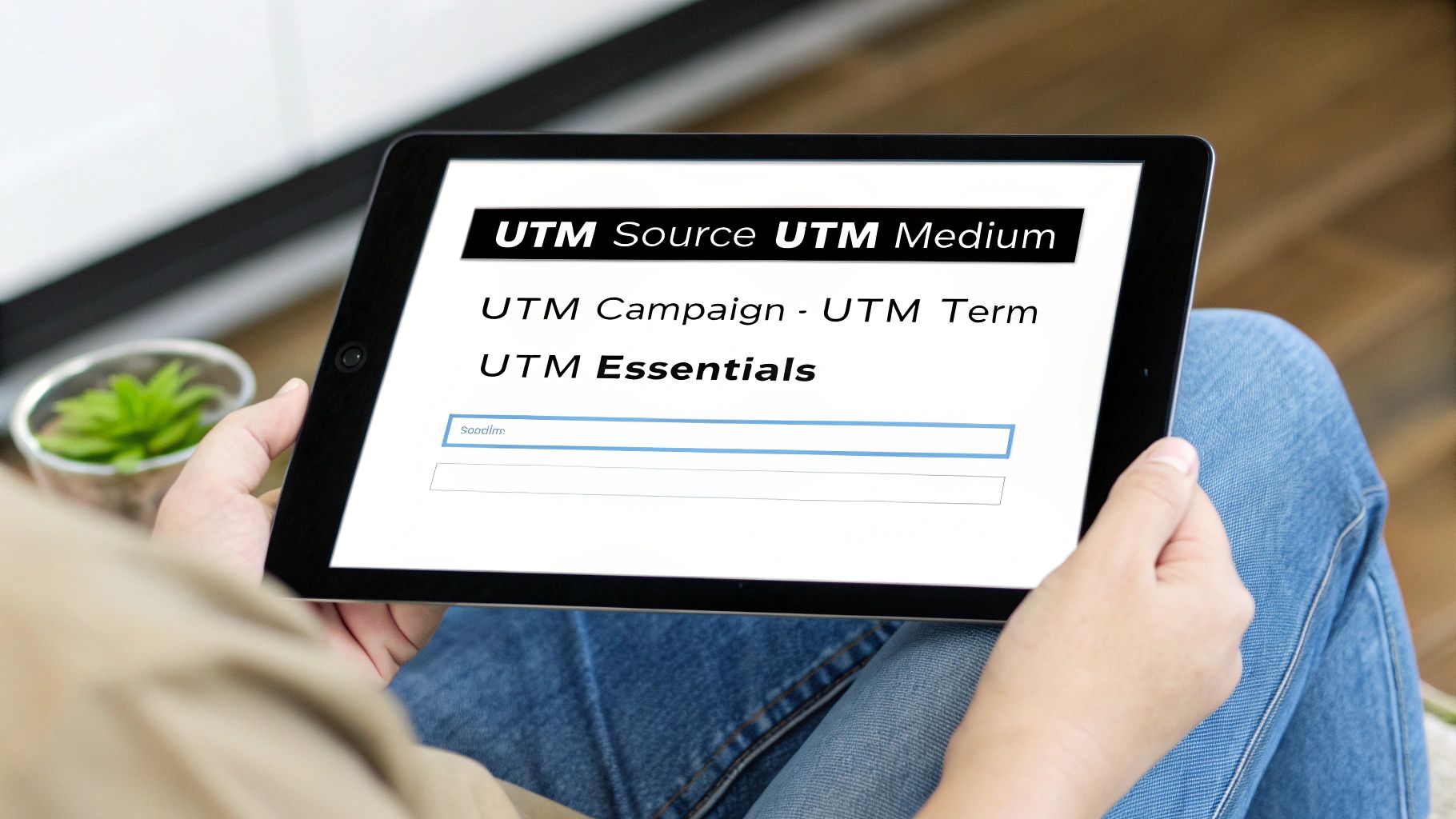
UTMs might sound technical, but they're really just 5 simple tags you add to your links. Think of them like labels on a moving box—each one tells you what's inside, where it came from, and where it's supposed to go.
Getting these right is the difference between murky data and a crystal-clear picture of your LinkedIn performance. Three of them are absolutely essential, and the other two are where you can get really granular with your insights.
The Core Trio: Source, Medium, and Campaign
Let's start with the non-negotiables. These three tags are the bedrock of good campaign tracking.
First up is utm_source. This tag answers one simple question: "Where did this traffic come from?" When you're running any kind of activity on LinkedIn, the answer is always the same: linkedin. This simple, consistent tag ensures every click gets credited back to the right platform.
Next is utm_medium. This one tells you how the traffic got to you—the marketing channel. For a paid LinkedIn ad, you’ll want to use something like cpc (cost-per-click) or paid-social. If it’s just a link you’re sharing on your company page, organic-social works perfectly. This is how you’ll later separate your paid results from your organic efforts.
Finally, there’s utm_campaign. This is your big-picture identifier. It groups all the ads, posts, and InMails for a single initiative under one umbrella. Let's say you're a SaaS company launching a new feature. A great campaign name would be something clear and descriptive like q4-feature-launch. Consistency here is key to measuring a campaign’s total impact.
The real magic happens when you see these three working together. A link tagged with
utm_source=linkedin,utm_medium=cpc, andutm_campaign=q4-feature-launchimmediately gives you a clean, high-level view of your ad's performance right inside your analytics tool.
The Granular Duo: Content and Term
While the first three give you the "what," "how," and "why," these next two give you the finer details. They're technically optional, but I highly recommend using them.
utm_content is your best friend for A/B testing. It’s designed to tell you exactly which ad creative or link someone clicked on when you have multiple options pointing to the same place. For example, if you're testing an ad with a video against one with a static image, you could use video-ad and image-ad as your content tags. Now you know precisely which creative is pulling its weight.
Lastly, we have utm_term. While it was originally built for tracking keywords in paid search, it’s incredibly useful for social media targeting. You can use it to identify the specific audience you were aiming for. For instance, tags like marketing-managers or smb-founders can show you which audience segments are actually engaging with your ads.
To help you get started, here's a quick cheat sheet for how to think about these parameters for a LinkedIn campaign.
Core LinkedIn UTM Parameters Explained
| UTM Parameter | Purpose | LinkedIn Example |
|---|---|---|
| utm_source | Identifies the traffic source. | linkedin |
| utm_medium | Specifies the marketing channel. | cpc (for paid) or organic-social (for organic) |
| utm_campaign | Names the specific marketing initiative. | q4-feature-launch |
| utm_content | Differentiates between ad creatives. | video-ad-variant-a |
| utm_term | Identifies the target audience segment. | marketing-managers-us |
Getting comfortable with these five tags is the first and most important step. To learn more about structuring them for squeaky-clean reporting, our detailed guide on UTM parameter best practices offers some more advanced strategies.
How to Build and Apply UTMs for Any LinkedIn Campaign
Alright, let's move from theory to actually getting this done. Creating UTM-tagged links for your LinkedIn efforts is pretty straightforward, whether you're launching a massive Sponsored Content campaign or just sharing a quick organic post. The real key here is consistency.
The best way to build your links is with a tool made for the job. Sure, you could try to string all the parameters together by hand, but that's an open invitation for typos that will completely break your tracking. A simple URL builder takes out the guesswork and makes sure every link is perfect from the get-go.
We even built a free, easy-to-use UTM builder for your campaigns to get you started in seconds.
Naming Conventions: The Secret to Clean Data
Before you even think about building your first link, you need a naming convention. This is just a set of rules for how you'll name your parameters. Without one, you'll end up with messy, fragmented reports where linkedin and LinkedIn show up as two different traffic sources, making your data a nightmare to analyze.
Here are three simple rules that will save you a world of hurt later on:
- Always use lowercase. UTMs are case-sensitive. If you stick to lowercase for everything (
utm_source=linkedin, notLinkedIn), you'll prevent your data from splitting into multiple, confusing rows in your analytics. - Use hyphens, not spaces. Spaces in URLs can break your links or get encoded into ugly strings like
%20. It's much cleaner to use hyphens (-) or underscores (_) instead. For instance, go withq4-product-launchinstead ofq4 product launch. - Keep it descriptive but concise. Your campaign name should be clear enough that you'll know exactly what it was six months from now. Something like
2024-ebook-download-adis a lot more helpful than a generic tag likead1.
Adopting a consistent naming convention is the single most important habit for successful campaign tracking. It ensures every click is categorized correctly, giving you clean, reliable data you can actually trust to make decisions.
Real-World Examples for LinkedIn
Let's put these rules into practice with a few common scenarios. Imagine you're a B2B SaaS company running a campaign to get downloads for a new e-book.
Scenario 1: An Organic Company Page Post
You're sharing a link to the new e-book directly on your company's LinkedIn page. Simple enough.
utm_source=linkedinutm_medium=organic-socialutm_campaign=q4-ebook-launchutm_content=company-page-post
Scenario 2: A Sponsored Content Ad
Now, let's say you're putting some money behind it with a paid ad targeting marketing managers. You're using a video creative and want to track its performance. This requires a bit more detail.
utm_source=linkedinutm_medium=cpcutm_campaign=q4-ebook-launchutm_content=video-ad-variant-autm_term=marketing-managers
This level of detail is exactly what you need to optimize your paid ads. To really nail your campaigns, it's essential to understand various winning LinkedIn ads strategies.
In fact, recent LinkedIn analytics show that posts with properly A/B tested UTMs averaged 2.1x higher click-through rates (CTR). Their engagement rates hit 1.8% compared to just 0.9% for untagged posts.
By following a repeatable process like this, you’ll be perfectly set up to track every single LinkedIn campaign you launch from here on out.
So, you’ve done everything right. Every single LinkedIn ad, InMail, and organic post is tagged with a perfectly built UTM. But when you look at your CRM, leads are still showing up with no source data. It’s a classic, head-scratching problem that makes you question your whole setup.
What’s going on here? The issue isn't your UTMs. It's a fundamental limitation in how web browsers work.
UTM parameters only live in the URL of the first page a person lands on. If that visitor clicks over to your pricing page, then maybe checks out your 'About Us' section, and then finally fills out a form, those original UTMs are long gone. The tracking trail goes cold, and the lead gets mislabeled as 'Direct' traffic.
The Hidden Journey That Erases Your Data
A visitor's path through your site is rarely a straight line from ad to form submission. It usually looks more like this:
- Initial Click: Someone clicks your LinkedIn ad with all its beautiful UTM parameters.
- Site Exploration: They land, read a bit, and then decide to poke around. They might check out a case study or a few blog posts.
- Conversion: After browsing two or three pages, they finally land on your contact page and fill out the form.
By the time they hit "submit," the URL in their browser is just yourwebsite.com/contact. All that valuable attribution data from their first click on LinkedIn has simply vanished. This is the single biggest reason for attribution gaps, even when your UTM game is flawless.
The real problem is that standard web forms have no memory. They only capture information available at the exact moment of submission. They have no idea where a visitor came from two or three page-clicks ago, which is where your linkedin utm parameters were.
Many marketers try to fix this with custom JavaScript or complicated setups in Google Tag Manager, but that usually means roping in a developer and dealing with ongoing maintenance. It's a huge hurdle for most marketing teams.
This is exactly why so many marketers are stuck staring at blank source fields in their CRM. For those fed up with this, certain tools can automatically capture and hold onto this data. We've seen benchmarks showing these tools can save up to 94% of UTM data that would otherwise be lost.
This data gap doesn't just mess with your LinkedIn reporting; it also undermines critical processes like offline conversion tracking, where connecting the dots back to the original ad is essential.
The good news? There’s a much simpler way to make sure this data is never lost again, and you don’t have to write a single line of code.
The Set-It-And-Forget-It Fix for Complete Lead Capture
So, we've established that disappearing UTM data is a real headache. The good news? It’s not a dead end. While the problem is baked into how browsers work, the solution doesn't involve wrestling with custom code or keeping a developer on speed dial. There’s a much more elegant fix that ensures every single lead from LinkedIn is properly tracked.
Think of it like adding a small piece of code to your website one time. This script works quietly in the background, like a smart assistant for your lead forms. Its entire job is to grab the linkedin utm parameters from a visitor’s very first click and hang onto them, no matter what.
This is a common blind spot for marketers. A prospect clicks your ad, but by the time they fill out a form, the original tracking data has vanished.
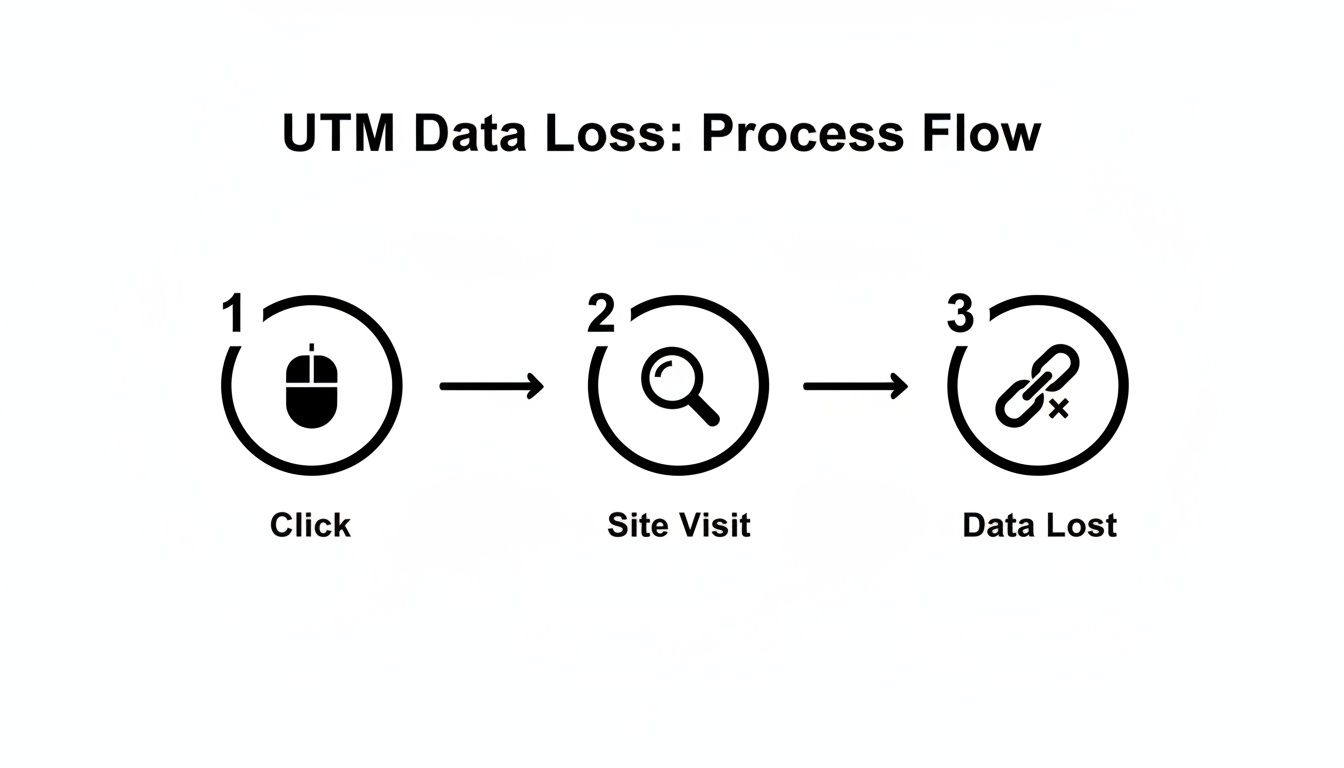
As you can see, the journey from that initial ad click to the final form submission is exactly where the tracking chain breaks. This is the gap that a dedicated attribution tool is designed to fill.
How a Simple Script Solves a Big Problem
Instead of letting those UTMs disappear as a visitor browses your site, this kind of technology stores them in the user's browser in a cookie. That information is kept safe and sound, regardless of how many pages they visit before deciding to get in touch.
When that visitor finally fills out a form—be it a contact request, a demo booking, or a webinar signup—the tool springs into action. It automatically writes the stored attribution data into hidden fields on your form, all without you lifting a finger.
The result? Every lead that came from a LinkedIn campaign lands in your CRM with its full story attached. You get all the crucial details you need:
- First Touch Channel: Organic Search, Paid Social, Direct, etc.
- First Touch Source:
linkedin - First Touch Medium:
cpcororganic-social - First Touch Campaign:
q4-ebook-launch - Landing Page URL: The exact page they first landed on.
This hands-off approach transforms a frustrating, ongoing issue into a solved problem. You get the power of a sophisticated tracking system without any of the technical maintenance.
This is about more than just data capture. It’s about restoring trust in your marketing analytics. When you can rely on the lead source information in your CRM, you can finally make confident, data-backed decisions about your LinkedIn strategy and budget.
The True Benefits of Automated Attribution
The real beauty of a tool like LeadPulse or Attributer is that it’s a genuine "set-it-and-forget-it" solution. Once that script is on your site, you’re done. There’s no ongoing maintenance or campaign-specific tweaks required.
You never have to worry if a new form is capturing the data correctly or if a developer needs to update a custom script. It just works, silently making sure the attribution data you worked so hard to create with your linkedin utm parameters actually makes it to the finish line. This is how you stop guessing and turn messy, incomplete lead data into a clean, reliable asset for your business.
Making Your LinkedIn Data Actionable in Your CRM
Getting clean, reliable attribution data into your CRM is a huge win, but it's really just the starting line. The real payoff comes when you use those insights to make smarter business decisions.
So, now that every lead from LinkedIn is properly tagged, what can you actually do with all that information? This is where you connect the dots between your LinkedIn ads and actual business results, moving beyond surface-level metrics like clicks and impressions to measure what truly matters: qualified leads, pipeline value, and closed deals.
From Data Points to Strategic Decisions
With complete attribution data flowing into your CRM, the game changes. A B2B agency, for example, could build a dashboard in Salesforce that proves exactly how many marketing-qualified leads (MQLs) their LinkedIn ad spend generated last quarter. No more guesswork, just cold, hard proof of ROI.
A startup could finally get a clear picture of which ad creatives are working. They might find that leads from ads tagged with utm_content=video-testimonial-ad have a 30% higher lifetime value than those from utm_content=static-image-ad. That’s a powerful insight you can immediately use to shift your creative strategy and budget.
The team at CXL Institute, for instance, tags their LinkedIn ads with specific parameters like utm_source=linkedin&utm_medium=paid_social&utm_campaign=cxl_mini_degree. This precision helped them spot underperforming ads early, cutting their wasted ad spend by a reported 27%. You can discover more about using LinkedIn analytics to get similar results for your own campaigns.
This isn't just about reporting on what happened last month. It's about optimizing what happens next month. Actionable data gives you the confidence to double down on what’s working and cut what isn’t, making your entire marketing operation more efficient.
Justifying Budgets and Proving Value
At the end of the day, having this data empowers you to have much better conversations with stakeholders. When it's time to ask for more budget, you're no longer relying on vanity metrics or gut feelings.
Instead, you can walk into a meeting and present a clear, data-backed case.
Imagine being able to say, “Our LinkedIn campaigns generated 75 new sales opportunities last month, directly contributing $150,000 to our pipeline. If we increase our spend by 20%, we project we can add another $30,000 in pipeline value.”
That’s the difference between asking for money and demonstrating a clear investment opportunity. By making your linkedin utm parameters actionable, you transform marketing data from a simple report into a strategic asset that drives real, measurable growth.
Common Questions (and Answers) About LinkedIn UTMs
Even the most seasoned marketers run into questions when setting up tracking. Let's walk through some of the most common things people ask about using LinkedIn UTM parameters.
How Do I Shorten Those Long, Ugly UTM Links for Organic Posts?
You’ve crafted the perfect UTM-tagged link, but it's a mile long and looks like spam. Nobody wants to click that in an organic post.
The fix is simple: use a URL shortener.
Tools like Bitly or Ow.ly take that long, clunky URL and give you a clean, short version. The beauty is that the short link still passes through the original URL, keeping all your precious UTM data intact. You get a professional look without losing any of your tracking.
Will UTM Parameters Hurt My Website's SEO?
This is a big one, and I get asked it all the time. The answer is a definitive no. UTM parameters have zero negative impact on your SEO.
Search engine crawlers are smart enough to recognize UTMs for what they are: tracking tags. They simply ignore them when indexing your pages. Google won’t see yourwebsite.com?utm_source=linkedin as a different page from yourwebsite.com. Your rankings are safe.
Think of it this way: UTMs are for your eyes only. They help you understand your marketing, but search engines just look at the core URL. Your SEO stays completely unaffected.
How Can I Make Sure My UTMs Are Working Before I Launch?
Never, ever launch a campaign without testing your links first. It's a painful and expensive mistake to discover your tracking is broken after the fact. Luckily, testing only takes a couple of minutes.
Here's my quick pre-flight check:
- Click your own link: Copy the final URL with all its UTMs and paste it into a private or incognito browser window.
- Check your analytics: Head over to the "Realtime" report in Google Analytics. You should see your own visit pop up, tagged with the exact source, medium, and campaign you set.
- Submit a test form: If you have a form on the landing page, fill it out with some dummy info. Then, check your CRM or lead notification email to make sure the hidden fields correctly captured and passed along all the UTM values.
Doing this quick check gives you peace of mind that every dollar you spend will be tracked accurately from the get-go.
Tired of UTM data going missing between a click and a CRM entry? LeadPulse is the solution. It’s a set-and-forget tool that captures and stores attribution data from the very first touch, ensuring you see exactly what's driving your leads. Learn more at https://getleadpulse.com.
7 High-Converting Lead Generation Form Examples for 2026
Discover 7 powerful lead generation form examples. Learn from the best B2B demo, newsletter, and contact forms to boost your conversion rates today.
A Practical Guide to Google Ads UTM Parameters
Stop guessing your ROI. This guide shows how to use Google Ads UTM parameters to accurately track leads, conversions, and campaign performance in your CRM.