How to Create a Customer Journey Map (how to create customer journey map)
A customer journey map is essentially a story. It’s the story of how someone goes from a complete stranger to a loyal customer, detailing every single interaction they have with your business along the way. To build one, you need to get inside their head—defining who they are, outlining the stages they move through, and pinpointing their feelings and frustrations to create a diagram that actually works.
Why Your Business Needs a Customer Journey Map

Let's be honest: guessing how customers find you is a recipe for wasted marketing spend. A customer journey map isn't just a "nice-to-have" diagram for the marketing team anymore; it's a fundamental blueprint for growing your business. It takes the messy, zig-zagging path of a modern buyer and turns it into a clear, visual strategy.
The customer’s path has become incredibly complex. A single person might engage with your brand across a dozen different touchpoints before they even think about buying. Without a map, you’re flying blind. You have no idea where people are dropping off, what content is actually hitting the mark, or which channels are pulling their weight.
From Niche Exercise to Mainstream Strategy
Just a few years ago, journey mapping felt like a niche exercise. Now, it's a core tool for growth. Why the change? Because digital journeys are more trackable—and more complicated—than ever. It’s been shown that consumers can interact with over 130 mobile touchpoints a day. That makes it nearly impossible for a business owner to simply guess how someone found them.
This is why the global customer journey analytics market is expected to hit $25.1 billion by 2026. That’s a massive jump, and it shows how critical this has become.
A data-driven map helps you do a few key things:
- Stop Wasting Your Budget: Pinpoint the exact marketing channels that drive conversions at each stage. This lets you move money from what isn't working to what is.
- Get Your Teams on the Same Page: It gives marketing, sales, and support a single, shared view of the customer experience. This breaks down silos and creates a much more consistent feel for your customers.
- Make Decisions with Confidence: You can finally move from assumptions to certainty by understanding what your customers are actually doing. Our complete guide to customer journey analysis dives deeper into this.
A customer journey map is the only way to truly step into your customer's shoes. It reveals the friction points you never knew existed and the opportunities for delight that were hiding in plain sight.
Gaining a Competitive Advantage
Before you start building your map, it’s worth taking a moment to understand the core concept behind What Is Customer Journey Mapping?. Done right, a map gives you a serious competitive edge.
It helps you spot the gaps in your customer experience before your rivals do. By visualizing every touchpoint, action, and emotion, you can proactively fix pain points, double down on high-impact moments, and design a journey that doesn't just convert—it builds lasting loyalty.
Gathering the Right Data for Your Map
Before you draw a single line, you need the right ingredients. A customer journey map built on assumptions is just a pretty picture. A map built on real data? That’s a powerful business tool.
The good news is you probably already have access to most of the information you need, scattered across the tools you use every day. The goal isn't to become a data scientist overnight. It’s about blending two types of insights—the "what" and the "why"—to get a complete, 3D view of your customer's experience.
Uncovering the "What" in Your Data
Let’s start with the hard numbers. This quantitative data shows you what people are actually doing on your site, which takes a lot of guesswork out of the process.
Here are the key places I always look first:
- Website Analytics: Tools like Google Analytics are a goldmine. Dig into the Behavior Flow or Path Exploration reports. You’ll quickly see the real, often messy, paths visitors take. Which pages do they land on? Where do they give up and leave? These reports reveal the most common routes people take and highlight where the journey gets bumpy.
- Your CRM: Your CRM holds some of the most important clues. Look at the lead source and first-touch attribution fields. Are most of your best leads coming from organic search, a specific social media campaign, or that webinar you ran last quarter? This tells you which channels are kicking off the journey successfully.
- Heatmaps and Session Recordings: This is my favorite part. Using a tool like Hotjar or Crazy Egg is like looking over your customer's shoulder. You can see exactly where they click, how far they scroll, and where they hesitate. Watching a few session recordings can reveal moments of confusion that a standard analytics report will never show you.
This kind of data is non-negotiable. It grounds your map in reality, forcing you to focus on how customers do behave, not how you think they should.
Finding the "Why" in Their Stories
While numbers tell you what’s happening, stories tell you why it’s happening. This is the qualitative data that breathes life into your map, capturing the emotions, motivations, and frustrations that actually drive decisions.
This is where you get to hear it straight from the source.
- Customer Surveys: You don’t need anything fancy. A simple, short survey sent via email can work wonders. Ask open-ended questions like, "What was the biggest challenge you faced before finding us?" or "Was there anything that almost stopped you from purchasing?"
- Support Tickets & Live Chat: Your support team is on the front lines, and their conversation logs are pure gold. They’re filled with raw, unfiltered customer feedback. Look for recurring questions and common complaints—these are the friction points you need to map out.
- Customer Interviews: Honestly, talking to just a handful of recent customers can give you more insight than a thousand data points. A quick 15-minute phone call is all it takes to uncover their goals, what other solutions they looked at, and the "aha!" moment that made them choose you.
The best maps are built where data and empathy meet. Numbers show you the problem spots; customer stories tell you why they're problems.
Putting It All Together for a 3D View
The biggest mistake I see marketers make is trying to draw a straight line from A to B. The modern customer journey just isn't that simple anymore. Research from Google and BCG shows that today's paths are a messy tangle of "streaming, scrolling, searching and shopping" across multiple channels.
To capture this reality, you absolutely have to blend your quantitative and qualitative insights. You can learn more about this approach in Google's research on modern customer journeys.
Let's make this real. Imagine your analytics show a huge drop-off rate on your pricing page (the quantitative "what"). Your first instinct might be to assume your price is too high.
But after a few customer interviews (the qualitative "why"), you learn the real problem is confusion—people don't understand which plan is right for them. See? One piece of data identified the symptom, but the other diagnosed the disease. Now you can fix the right problem.
To help you get started, here's a quick rundown of the essential data sources you'll want to tap into.
Essential Data Sources for Your Journey Map
| Data Type | Example Source | What It Tells You |
|---|---|---|
| Quantitative | Google Analytics | Reveals popular user paths, entry/exit pages, and time on page. |
| Quantitative | CRM (e.g., Salesforce) | Shows lead sources, conversion rates, and sales cycle length. |
| Quantitative | Heatmap Tools (e.g., Hotjar) | Pinpoints where users click, scroll, and hesitate on key pages. |
| Qualitative | Customer Surveys | Captures user motivations, goals, and initial challenges. |
| Qualitative | Support Tickets/Chat Logs | Uncovers common questions, points of friction, and product frustrations. |
| Qualitative | Customer Interviews | Provides deep context on the decision-making process and emotional highs/lows. |
| Qualitative | Social Media & Review Sites | Offers unfiltered public sentiment, praise, and common complaints. |
Tapping into a mix of these sources ensures your map isn't just a creative exercise but a strategic document rooted in how your customers actually think, feel, and act.
How to Build Your Customer Journey Map
Alright, you've done the data-gathering homework. Now for the fun part: turning all those numbers and notes into a visual story. This is where we actually sketch out the customer journey map.
Don't get hung up on fancy software just yet. Seriously. A whiteboard, a pile of sticky notes, or even a basic spreadsheet is perfect for getting started. The idea is to create a simple, clear framework that the whole team can look at and immediately understand.
We'll walk through this piece by piece to make sure your first map is useful right out of the gate.
Start with Clear Objectives
Before you draw a single line, you have to answer one critical question: "What problem are we actually trying to solve with this map?" Without a clear goal, you're just making a pretty picture. Your objective is the North Star that will guide every decision you make.
Are you trying to:
- Boost conversions on your demo request page? If so, your map needs to zoom in on the consideration and decision stages.
- Stop customers from churning in their first 90 days? Then you’ll want to map out the onboarding and retention phases in excruciating detail.
- Send better, more qualified leads to your sales team? Your map should focus on all the touchpoints that happen before a lead ever speaks to a salesperson.
For instance, a B2B SaaS company might set a goal to "find and fix the biggest roadblock between a user signing up for a free trial and upgrading to a paid plan." This sharp focus makes the whole process way more productive.
Create a Simple Customer Persona
You can't map a journey if you don't know who's on the trip. I know you probably have a few different customer segments, but for your first map, just pick one. Your most common or most valuable persona is the perfect place to start. It keeps things manageable.
This doesn't need to be a 10-page document. Just nail down the essentials that actually impact their buying decisions.
- Role & Responsibilities: What’s their job title? What are they on the hook for? (e.g., "Marketing Manager responsible for hitting a lead generation target.")
- Primary Goal: What's the real-world problem they need to solve that your product helps with? (e.g., "Needs to prove marketing ROI to their VP.")
- Key Challenges: What gets in their way? (e.g., "Struggles with clunky analytics tools and doesn't have a lot of technical help.")
- Information Sources: Where do they hang out online to find answers? (e.g., "Reads industry blogs, listens to marketing podcasts, and asks for tool recommendations in private Slack groups.")
This simple profile becomes the lens you see the entire journey through. Every single stage should be viewed from this person's perspective.
Identify the Key Journey Stages
The customer journey is a process, not a single event. Breaking it down into stages helps you organize everything and get inside your customer's head at each step. The stages aren't always a straight line—people jump around—but a classic five-stage model is a great framework.
Learning how to map this out is a lot like mastering the B2B sales funnel stages; both are about understanding a customer's progression from one point to the next.
Here’s a framework that works for most businesses:
- Awareness: The customer realizes they have a problem. They might not even know your brand exists yet.
- Consideration: They've put a name to their problem and are now actively researching solutions. This is where they start comparing you to your competitors.
- Decision: The customer has a short list and is ready to pull the trigger. They're looking for that final piece of validation, like a great demo or glowing reviews.
- Retention: The journey isn't over after the purchase. This stage is all about onboarding, getting them to that first "aha!" moment, and making sure they stick around.
- Advocacy: The customer loves your product and the experience so much that they become a walking billboard for your brand.
Think of these stages as the columns of your journey map. They create the timeline for the entire experience.
To fill in those columns, you’ll blend the hard data from your analytics and CRM with the real-world stories you get from customer surveys.
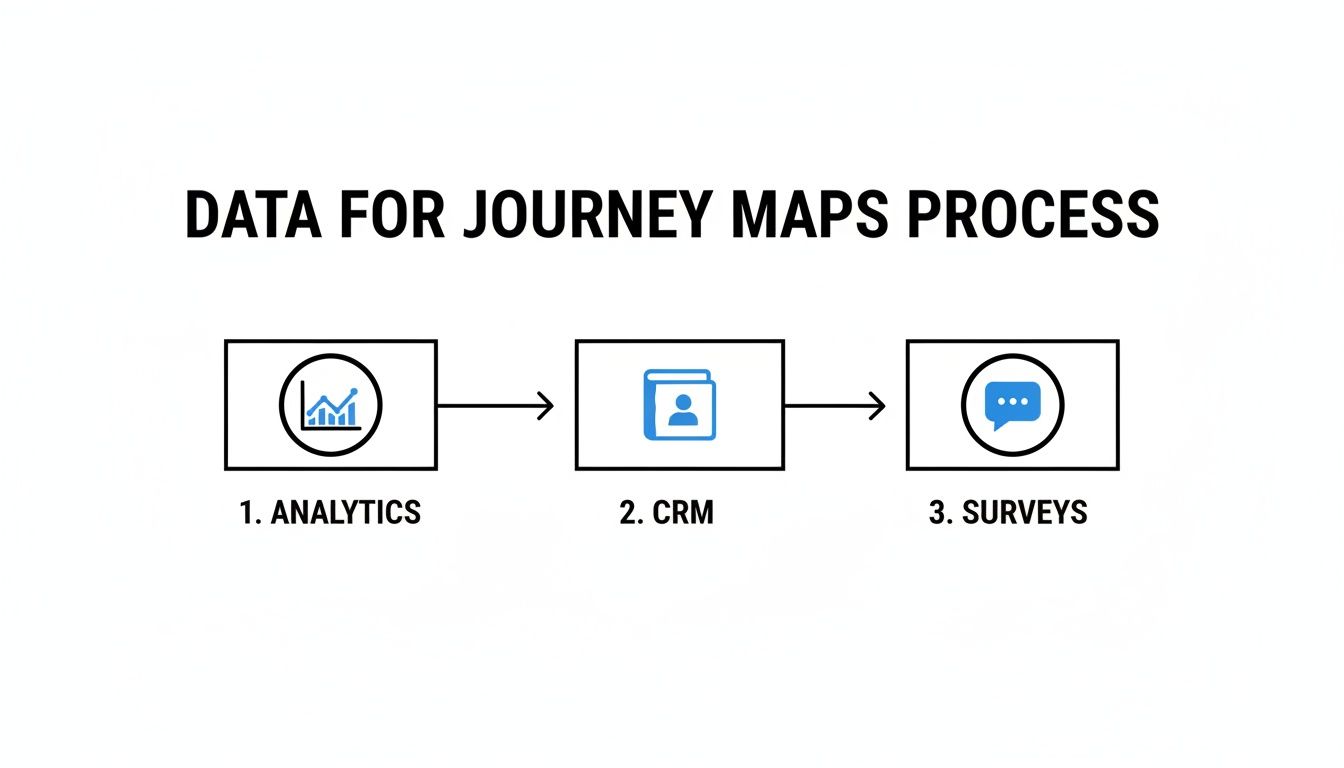
This is where the magic happens—combining the what (from analytics) with the why (from customer feedback).
Map Out Touchpoints and Emotions
Now that you have your persona and stages, it's time to fill in the map. This is where it really comes to life. For each stage, you need to dig into the details.
Here’s what you should list for every single stage:
- Actions: What is the customer physically doing? (e.g., "Googling 'best lead tracking software'," "Watching a 2-minute product demo," "Starting a live chat with support.")
- Touchpoints: Where are these actions taking place? These are all the places they interact with you. (e.g., "Google search results," "YouTube channel," "Website live chat widget.")
- Emotions & Thoughts: What’s going on in their head? Try to capture their mindset. (e.g., "Feeling overwhelmed by all these options," "This feature looks interesting," "Ugh, this pricing page is confusing.")
- Pain Points & Opportunities: Where are they getting stuck? And how can you make it better? (e.g., Pain Point: The website form has too many fields. Opportunity: Shorten the form and add a 'Sign up with Google' button.)
The real power of a customer journey map is in finding the emotional friction. When you can pinpoint exactly where a customer feels confused, anxious, or frustrated, you've found the golden opportunities to create an experience they'll love.
Once you’ve fleshed this out, you’ll have a tool that tells a compelling story. Don't worry about getting it perfect on the first try. The goal is to build a solid foundation you can improve over time. Once you have a good draft, you can explore some great customer journey mapping tools to create a more polished version.
Connect Your Map to Real Marketing Channels
Let's be honest. A customer journey map without real-world data is just a creative exercise. It might look great on a whiteboard, but it won't actually help you make smarter marketing decisions.
To give your map real teeth, you have to connect the stages and touchpoints you've outlined to the actual marketing channels that get people to act.
This is where attribution enters the picture. Put simply, attribution is figuring out which of your marketing efforts are actually bringing you leads and customers. Your journey map becomes a strategic weapon when you can see, for example, that "Organic Search" is your top performer in the Consideration stage, while "Paid Social" is introducing the most people to your brand.
That connection is what turns your map from a theoretical diagram into a practical, revenue-driving tool. You stop guessing and start knowing.
Why Attribution Data Is a Must-Have
A journey map that isn’t connected to real channels is like a road map without any street names. Sure, you can see the general path, but you have no idea how to actually get there or even where you are.
When you overlay attribution data, those street names suddenly appear.
Imagine you learn that 70% of customers who request a demo first read a blog post. That's a massive insight. It tells you that your content marketing isn't just a top-of-funnel activity; it’s a critical piece of your sales pipeline.
This is exactly the kind of detail businesses are clamoring for. The most profitable journey maps today are built on a foundation of attribution—knowing which channels and moments of truth really drive leads. In fact, Future Market Insights estimates that solutions for customer journey visualization and analytics will hold over 63% of the market by 2035. Why? Because businesses want to connect journeys with measurable results.
For a small B2B startup using forms and a CRM, this isn't just a "nice-to-have." Without attribution data, you're flying blind on where to invest your budget. You can read more about the growth of data-driven journey mapping on futuremarketinsights.com.
Tying Specific Channels to Journey Stages
To bring your map to life, you need to enrich each stage with channel-specific data. This is how you move from a vague understanding of "Awareness" to a concrete strategy.
Let's walk through a practical example for a B2B service company.
Awareness Stage: Your analytics might show that most first-time visitors land on your site via "Organic Search" after Googling a problem. Or maybe they come from "Paid Social" ads you're running on LinkedIn.
Consideration Stage: As they dig deeper, you might see "Direct" traffic spike as they come back to your site. You could also notice that clicks from a "Referral" source, like an industry review site, lead to high engagement on your case study pages.
Decision Stage: In this final phase, the data could reveal that your best leads came from an "Email" campaign offering a personalized demo, or from a targeted "Paid Search" ad for your brand name.
By connecting these dots, you can build a much more intelligent marketing strategy. You know precisely which levers to pull at each stage. For a deeper dive, our guide on cross-channel marketing attribution provides a detailed framework.
Capturing the Data You Need
This might sound complicated, but capturing the right attribution data is easier than you think, especially if you're using forms to generate leads. The trick is to automatically capture the source information whenever someone fills out a form on your site.
A tool like LeadPulse works in the background, grabbing these critical data points from every visitor and passing them straight into your CRM along with their contact info.
Here’s a glimpse of the kind of rich data you can capture automatically.
As you can see, it’s not just the channel, like Organic Search. You can capture the specific source (Google), medium (organic), and even the campaign details. This is the raw material that makes your customer journey map an indispensable tool.
When you can confidently say, 'Our blog drives the most qualified leads, and our latest webinar converted them,' you've transformed your journey map from a simple visual into a powerful argument for your marketing budget.
This is the ultimate goal when you learn how to create a customer journey map: to build a living document that's deeply connected to your business metrics. It's not just about understanding the customer’s path—it's about understanding how your marketing shapes that path and drives real growth. Without that data layer, you're missing the most important part of the story.
Putting Your Customer Journey Map into Action

You’ve done the hard work. You have a beautiful, data-rich customer journey map that tells the real story of your customer. So, now what? A map is useless if it just collects dust on a server; its real power is in turning those insights into tangible business improvements.
This is where you shift from analysis to action. Your map isn't just a pretty visual—it's your strategic guide for making smarter decisions across the board. It shows you exactly where to focus your time, energy, and budget to actually move the needle.
Think of your map as a diagnostic tool. Your first job is to scan it for the most obvious issues and the biggest hidden opportunities. The goal isn't to fix everything at once. It's to prioritize the changes that will have the most significant impact on both the customer experience and your bottom line.
Pinpoint the Moments of Truth
Every customer journey has make-or-break moments. We call these "moments of truth." With all the data, emotions, and pain points you’ve layered onto your map, these moments should jump right out at you.
Look for areas where customer emotion takes a nosedive. For example, if your persona feels "confused" or "frustrated" during the checkout process, that's a red alert. You’re almost certainly losing sales right there.
On the flip side, find the emotional peaks. What parts of the journey make customers feel "delighted" or "confident"? These are your strengths. Your action plan should be as much about amplifying what works as it is about fixing what’s broken.
Here’s how to hunt down these key moments:
- Find High-Friction Points: Where do support tickets suddenly spike? Where do your website analytics show a massive drop-off rate?
- Locate Decision Bottlenecks: At what stage do leads stall out in your CRM? Is there a common point where promising deals just go cold?
- Identify Conversion Accelerators: Which touchpoints consistently push people toward a sale? This could be a specific blog post, a compelling case study, or a perfectly timed email.
Your customer journey map's greatest strength is its ability to reveal the small hinges that swing big doors. Fixing a single confusing sentence on a pricing page can often do more for revenue than launching an entirely new marketing campaign.
Align Your Marketing and Sales Teams
One of the most valuable things a customer journey map does is get everyone on the same page. It replaces departmental assumptions and finger-pointing with a single, shared source of truth about the customer.
Make the map a centerpiece of your team meetings. When marketing and sales can both see the entire path a customer takes—from a first-click on a blog post to a final sales call—you build a foundation for real collaboration.
For instance, the sales team might realize that leads who watched a specific webinar are way more qualified. With that insight, marketing knows to double down on promoting that webinar or creating more content just like it. This ends the classic "marketing leads are bad" argument by grounding the conversation in shared data.
This alignment also leads to much smarter budgeting. Let’s say your map—enriched with attribution data from a tool like LeadPulse—proves that Organic Search is driving 70% of your high-value demo requests. Now you have a rock-solid case for investing more in SEO and content. You’re no longer guessing; you're allocating budget based on proven performance. This is the ultimate goal when you learn how to create a customer journey map: building a tool that drives real-world initiatives and measurable growth.
Common Questions About Journey Mapping
Even after you've built your first map, a few practical questions always seem to pop up. Let's get into some of the common things people ask when they're new to journey mapping.
Think of this as the "now what?" section. The goal is to clear up any lingering doubts so you can feel confident putting your new map to good use.
How Often Should I Update My Map?
A customer journey map is a living document, not a project you finish and file away. Your customers, your product, and the market are always changing. A map from last year could already be missing crucial new touchpoints.
As a general rule, plan to review and refresh your map at least once or twice a year.
But don't wait for the calendar if something big happens. You should revisit it immediately after any significant business change, like:
- Launching a major new product feature.
- Entering a new market or targeting a different kind of customer.
- Making big changes to your pricing or sales process.
- Seeing a sudden, unexplained drop in a key metric like conversions or retention.
I tell people to think of their map like a budget. You set it up at the start of the year, but you have to check in on it regularly to make sure it still reflects reality and is actually helping you.
What Are the Best Simple Tools to Use?
You really don't need expensive, complicated software to create a great customer journey map, especially when you're just starting out. The best tool is the one your team will actually use.
So many amazing maps have started on a simple whiteboard with a pack of sticky notes. It's a fantastic way to collaborate and just get all the ideas out on the table.
If you want to go digital, here are a few simple options:
- Miro or Mural: These are basically digital whiteboards built for remote teams. They're perfect for collaborative mapping and even have templates to get you started.
- Google Slides or PowerPoint: Seriously, don't knock it 'til you try it. A simple slide deck works wonders. You can easily create columns for stages and rows for actions, emotions, and pain points.
- Spreadsheets (Google Sheets or Excel): For a no-frills, data-first approach, a spreadsheet is a powerful and accessible tool. It’s perfect for organizing everything in a clean grid.
Remember, the tool is way less important than the process. Focus on gathering solid data and getting your team talking first. The right tool will just be the one that fits how you work.
Can I Have More Than One Journey Map?
Absolutely. In fact, you probably should. Most businesses serve different types of customers, and you can bet their journeys look very different from each other.
For example, the path a small business owner takes to buy your product is nothing like the journey of an enterprise director who needs to get budget approval from three different departments. If you try to mash both of them into a single map, you'll end up with a confusing mess that isn't true for either of them.
My advice? Start with a map for your most important or most common customer persona. Once you’ve built that one and started acting on it, you can create new maps for your other key segments. It's a much more effective approach than building a one-size-fits-all map that doesn’t really fit anyone.
Ready to enrich your map with real attribution data? LeadPulse automatically captures where your leads come from—every channel, source, and campaign—and sends that critical information directly to your CRM. Know exactly what's driving your growth.
Improve Lead Conversion: A Practical Audit to Boost Your Pipeline
Discover a practical audit to improve lead conversion, fix attribution gaps, streamline lead flow, and optimize your entire process for measurable results.
10 Actionable B2B Lead Nurturing Strategies That Drive Revenue in 2026
Discover 10 powerful b2b lead nurturing strategies to convert more leads. Learn how to use attribution, automation, and personalization to close more deals.