A Simple Guide to Facebook UTM Parameters
You know those special codes you see tacked onto the end of a URL? Those are often UTM parameters. Think of them as digital name tags for your links. When you use them on your Facebook ads and posts, they tell your analytics tools exactly where each website visitor came from, solving the frustrating mystery of unattributed traffic once and for all.
Why Your Facebook Leads Seem to Vanish

You’ve done everything right. You spent days, maybe weeks, perfecting your Facebook campaign—dialing in the audience, polishing the creative, and setting a healthy budget. The clicks are rolling in, and you can see the traffic hitting your landing page.
Then you open your CRM, and that familiar sense of dread creeps in. A huge chunk of your new leads are just marked as 'direct' or '(none)'.
It's one of the most maddening problems for marketers. You know those leads came from somewhere, but your data is giving you the silent treatment. This isn't just some random glitch; it's a critical data gap. Without a way to connect the dots, proving which ads are actually delivering value feels impossible.
The Real Cost of Missing Data
This lack of visibility is more than a simple annoyance; it has a real impact on your budget and strategy. When you can't attribute leads to specific campaigns, you're essentially flying blind.
- Wasted Ad Spend: You could be pouring money into a campaign that's great at getting clicks but generates zero qualified leads. Meanwhile, a high-performing ad might get its budget cut simply because you can't see the results it’s driving.
- Inaccurate Reporting: Trying to prove your marketing ROI to your boss or clients becomes a total guessing game. You can’t confidently say, "This campaign generated 50 new leads and $10,000 in pipeline."
- Poor Optimization: Without clear data, you can't learn what’s working. You lose the chance to double down on winning ad copy, creative, or the specific audiences that are converting.
The core issue is that the journey from an ad click to a form submission isn't automatically tracked. All that valuable marketing source information lives in the URL when a user lands on your site, but it vanishes the moment they hit "submit," leaving your CRM completely in the dark.
How UTMs Bridge the Data Gap
This is exactly where Facebook UTM parameters come in to save the day. These simple snippets of code act as a tracking bridge, carrying that vital source information from your ad all the way through the form submission and into your CRM.
Let's imagine you're running Facebook ads for a webinar, and you're using a Typeform to capture leads that feed into HubSpot. You spend $5,000, but half the leads that show up in your CRM are marked as ‘(direct)/(none)’. It's a nightmare scenario, but it happens all the time.
By adding UTMs, you turn that vague, unattributed traffic into clear, actionable data. You'll know precisely which campaign, ad set, and creative drove each and every lead. For a deeper dive into this, check out this guide to UTM parameters for Facebook ads.
Tagging every link creates a permanent record of that user’s origin. This data tells a story, transforming confusing analytics into a clear roadmap for smarter budget allocation and, most importantly, proving your marketing's true value.
To get started, it helps to understand the five core building blocks of any UTM-tagged link.
The 5 Core UTM Parameters Explained
| Parameter | What It Tracks | Facebook Example |
|---|---|---|
| utm_source | The platform or source sending the traffic. | utm_source=facebook |
| utm_medium | The marketing channel (e.g., paid social, email). | utm_medium=cpc |
| utm_campaign | The specific campaign name. | utm_campaign=q4-black-friday-sale |
| utm_term | The ad set name or a specific keyword. | utm_term=lookalike-audience-1 |
| utm_content | The specific ad creative (e.g., video ad vs. image). | utm_content=blue-video-ad-v2 |
These five parameters work together to give you a complete picture of your traffic, from the highest-level channel down to the individual ad a person clicked on.
Automating Your UTMs in Facebook Ads Manager

Let's be honest: manually building a unique UTM-tagged URL for every single Facebook ad is a nightmare. It’s not just tedious work; it's a recipe for bad data. One typo, an inconsistent campaign name, or a forgotten parameter can completely corrupt your analytics, leaving you with numbers you can't trust.
Thankfully, there's a much smarter way to handle this. Facebook Ads Manager has a powerful, built-in solution that lets you create a tracking system you can set and forget. This is how you move from manual drudgery to an automated, error-proof process.
You can build a template using dynamic URL parameters that automatically pulls information—like the campaign name, ad set name, and even the ad creative ID—directly from your ad setup. It then plugs that info right into your UTMs for every single click. This guarantees every ad is tracked perfectly from the moment it goes live.
Finding the URL Parameters Tool in Ads Manager
First things first, you need to know where to find this tool. It's tucked away at the ad level within your campaign structure.
As you're creating or editing an ad, scroll down past the "Ad Creative" and "Destination" sections. Look for a section called Tracking. This is your command center for all things attribution.
Inside, you'll see the Website URL field. Right below it is the magic link: Build a URL parameter. This is the key to unlocking consistent, automated tracking for all your Facebook campaigns.
Building Your Dynamic UTM Template
Once you click "Build a URL parameter," a pop-up window appears with fields for the five standard UTM parameters. This is where you'll combine static values with dynamic placeholders.
A static value is something you type in that stays the same for every ad, like utm_source=facebook. A dynamic placeholder, on the other hand, is a bit of code in double curly brackets—like {{campaign.name}}—that Facebook automatically replaces with campaign-specific information.
Here’s a powerful, go-to template that works for just about everyone:
- Campaign Source (
utm_source): Set this tofacebook. This one is simple. You’re running ads on Facebook, so this value rarely needs to change. - Campaign Medium (
utm_medium): I recommend usingcpcorpaid-social. This helps you easily segment your paid social traffic from other channels inside Google Analytics. - Campaign Name (
utm_campaign): Here’s where the automation really kicks in. Instead of typing a name, click the box and select the dynamic placeholder{{campaign.name}}. Now, Facebook will automatically insert the name of the campaign the ad belongs to. - Campaign Content (
utm_content): Use{{ad.name}}. This is a game-changer for A/B testing because it tells you exactly which ad creative a user clicked on (e.g., "blue-video-ad" vs. "red-image-ad"). - Campaign Term (
utm_term): A great option here is{{placement}}. This dynamic value tells you where your ad was shown, likeFacebook_Desktop_FeedorInstagram_Stories.
Pro Tip: Your naming conventions are everything. Since these dynamic parameters pull names directly from your account, be descriptive. A campaign named "Q4-Black-Friday-Lookalikes" is infinitely more useful in your analytics reports than a generic one like "Campaign 2."
This automated approach shifts your focus from tedious data entry to actual analysis. It ensures that every dollar you spend is accounted for, with clean data flowing directly into your analytics and CRM.
Why This Automated Approach Is a Non-Negotiable
Setting up your UTMs this way does more than just save a few minutes. It builds a foundation of clean, reliable data that you can actually trust to make critical business decisions.
The benefits are immediate and significant:
- Eliminates Human Error: No more typos. The data is pulled directly from your campaign setup, so
utm_campaign=black-friday-salewon’t ever be accidentally entered asblack-friday-saleson another ad, which would split your data into two separate rows. - Guarantees 100% Tracking Coverage: Every single ad you launch using this template will be tracked. You'll never have to worry about an untagged ad slipping through the cracks and showing up as 'direct' or 'none' in your reports.
- Scales Effortlessly: Whether you're managing five ads or five hundred, the setup is the same. This method allows you to grow your ad spend without your tracking becoming a chaotic mess.
Of course, getting UTMs onto your landing page is just step one. To truly measure ROI, that data needs to connect to a conversion. When you automate your UTMs, it's crucial to also have a solid grasp of setting up Facebook conversion tracking to complete the full attribution picture.
While Facebook's tool is fantastic, some teams prefer to keep all their tracking links in one place. If you're also creating UTMs for organic posts or other channels, using a centralized tool is a good idea. You can check out our simple guide on using a UTM builder to keep all your links clean and consistent.
Best Practices for Clean and Consistent Data
Setting up automated UTMs in Facebook Ads Manager is a great first step, but it’s only half the job. If you don't establish a clear set of rules for your team, even those automated parameters can create a tangled mess of data that makes reliable reporting a nightmare.
Think of it this way: inconsistent tagging is just as bad as no tagging at all. When one person on your team uses "facebook" and another uses "Facebook," Google Analytics sees them as two entirely different traffic sources. This fractures your data, making it impossible to see how your campaigns are really performing.
Keep It Clean and Consistent
Trustworthy analytics starts with consistency. This just means creating a simple, repeatable process for how you name things. It doesn't need to be complicated—in fact, simpler is always better.
A few basic ground rules will solve 99% of the data headaches I see:
- Always Use Lowercase: This is the easiest win. Make it a non-negotiable rule that every UTM value—source, medium, campaign name—is in lowercase. This one habit alone stops
utm_source=Facebook,facebook, andFBfrom polluting your reports. - Use Hyphens, Not Spaces: Spaces in a URL get converted into ugly characters like
%20. It looks messy and can sometimes even break your links. Stick with hyphens (-) or underscores (_) to separate words, likeblack-friday-sale. - Establish a Naming Convention: This sounds more formal than it is. Just agree on a simple template for campaign names that everyone follows. Something like
[year]_[goal]_[audience]_[offer]can transform a generic "Lead Gen Ad" into an instantly recognizable2024_webinar-signups_lookalikes_free-ebook.
Creating a shared spreadsheet or a simple document that outlines these rules is a game-changer. It becomes the single source of truth for your entire team, ensuring everyone is tagging links the same way, every single time.
Standardize Your UTM Medium
One of the most powerful—and most overlooked—best practices is standardizing your utm_medium. This little parameter is how Google Analytics groups your traffic into its default channels, like "Paid Social," "Organic Search," or "Email."
Get this wrong, and your expensive Facebook ad traffic could get dumped into the dreaded "Unassigned" bucket.
Let's imagine you're a B2B SaaS company running lead gen ads for a new guide. You need a clear, consistent structure.
Example Scenario Your dynamic UTM template in Facebook Ads Manager should have a static, unchanging value for the medium.
utm_source:facebook(always lowercase)utm_medium:paid-social(a standardized medium everyone uses)utm_campaign:{{campaign.name}}(e.g.,2024_ebook-launch_b2b-marketers)
By consistently using paid-social as the medium, you’re telling Google Analytics exactly where to file every click. This keeps your "Paid Social" channel group clean, giving you a high-level view to compare its performance directly against your other marketing channels.
In the high-stakes world of Facebook advertising, where brands pour billions into campaigns, inconsistent UTM usage leads to analytics chaos. Without standardization, teams face 'Facebook' vs 'facebook' vs 'fb' as separate sources, forcing hours of manual cleanup. Businesses that adopt automated templates at the account level, however, see flawless consistency across hundreds of ads.
UTM Do's and Don'ts for Clean Data
To make this even clearer, here's a quick comparison of what good data habits look like in the real world versus the messy alternatives that cause so many problems.
| Do This (The Right Way) | Don't Do This (The Messy Way) |
|---|---|
Use all lowercase, like utm_source=facebook. |
Use mixed cases like Facebook or FaceBook. |
Separate words with hyphens: q4-holiday-promo. |
Use spaces that create messy URLs: q4 holiday promo. |
Be descriptive: utm_campaign=webinar-leads-warm. |
Be vague: utm_campaign=campaign_2. |
Standardize mediums, such as paid-social. |
Use inconsistent mediums like cpc, ads, social. |
Following these simple rules ensures the data coming from your Facebook ads is not just present, but also clean, organized, and ready for you to analyze. For a more exhaustive list of guidelines, check out our complete guide on UTM parameter best practices.
Connecting UTM Data to Your CRM Leads
So, you’ve nailed your dynamic Facebook UTM parameters, and your analytics reports are pristine. You can see exactly which ads are driving traffic and where they’re going. But then you pop over to your CRM, and that all-too-familiar feeling of dread creeps in—your new leads have zero source data.
This is, without a doubt, the most common and frustrating gap in marketing attribution. It's the moment you realize that just getting UTMs to the website isn't the finish line. It feels like a technical glitch, but it’s really just a quirk of how web forms work.
Why Your UTM Data Disappears
The moment someone clicks your Facebook ad, all that precious UTM data lives in one place: their browser's URL bar. It sits there happily as long as they stay on that landing page.
The breakdown happens the instant they hit "submit" on your form. When they do, the information they typed into the form fields (like name and email) gets sent to your server, but the data in the URL bar gets left behind. Think of it like a package arriving without its shipping label. The browser simply discards the URL parameters, and they never find their way into your CRM.
This creates a massive disconnect. You end up with perfectly tagged traffic in Google Analytics but completely anonymous lead data in HubSpot or Salesforce. You know someone converted, but you have no clue which campaign, ad set, or creative actually did the work.
This flow chart shows exactly where that breakdown happens.
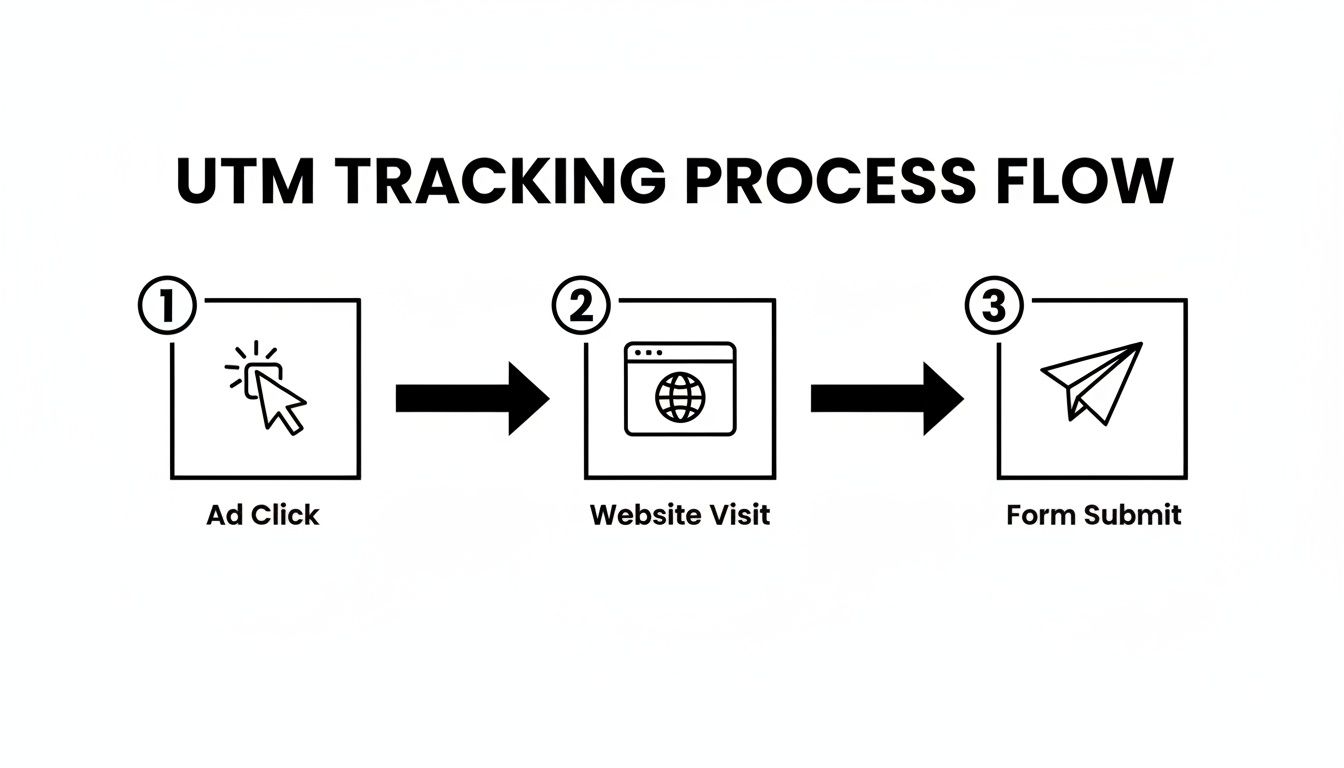
As you can see, the tracking information is lost right at the point of conversion—the most critical moment in the entire journey.
Solving the Attribution Gap with Hidden Fields
To fix this, you need a way to grab the UTM parameters from the URL before the form is submitted. The solution is surprisingly simple in concept: hidden fields.
Hidden fields are just like regular form fields, except they're invisible to the user. Their job is to secretly hold and pass along data. The idea is to have something that automatically snatches the UTMs from the URL and stuffs them into these hidden fields right before submission.
But how do you get the data from the URL into those fields? This is where a small piece of code or a dedicated attribution tool becomes your best friend.
An attribution tool is the glue between your website traffic and your lead forms. It works behind the scenes to capture marketing source data from the very first visit and ensures it’s attached to a lead record when they finally convert—even if that’s days or weeks later.
How Attribution Tools Work Behind the Scenes
When a visitor first lands on your site from a Facebook ad, a smart attribution tool gets to work instantly. It scans the URL, grabs all the Facebook UTM parameters, and stores that information in a cookie on the user's browser.
This is the game-changing step. That attribution data is no longer just sitting in the URL bar; it's saved locally. Now, the user can browse multiple pages, leave your site, and come back a week later by typing your URL directly. The cookie remembers where they originally came from.
When that same user eventually fills out a form—whether it’s a Gravity Form, Typeform, or a native Webflow Form—the tool detects it. It then automatically pulls the stored UTM data from the cookie and writes it into the corresponding hidden fields you've added.
utm_source(facebook) goes into your hidden "Source" field.utm_campaign(q4-black-friday-sale) goes into your hidden "Campaign" field.utm_content(blue-video-ad) goes into your hidden "Content" field.
And just like that, the form submission carries all this rich attribution data straight into your CRM. Every new lead record is now complete, showing the exact Facebook campaign that brought them in. You've finally closed the loop, connecting your ad spend directly to leads and, ultimately, to revenue.
This process is absolutely fundamental for anyone serious about tracking marketing performance. For a more detailed walkthrough of the setup, you can learn more about how to use hidden fields in your forms to capture this critical data. It’s the key to making your entire UTM strategy pay off.
How to Track Your Organic Facebook Posts
Getting your paid ad UTMs automated is a massive time-saver, but what about all the traffic coming from your organic content? Your company's Facebook page is a core part of your marketing, but if you're not tagging your links, you're flying blind. Every link you share is a shot in the dark, with no real way to know which posts are actually driving website visits, leads, or sales.
Unlike Facebook Ads Manager, which has a handy built-in tool for paid campaigns, there’s no equivalent for your day-to-day organic posts. This means you’ll need to build these tagged links yourself. Don't worry, it's a straightforward process that will finally give you a clear picture of what your content marketing is actually accomplishing.
Using a Free URL Builder
The simplest way to create tagged links is with a free tool like the Google Campaign URL Builder. It’s basically a form where you plug in your UTM values, and it spits out a perfectly formatted, trackable link. Using a builder like this takes the guesswork out of it and prevents typos that can easily break your link or mess up your data.
Making this a habit is how you start to measure the real impact of your community management and content strategy. You’ll finally be able to see which types of posts—whether it’s a new blog article, a company update, or a customer story—are the most effective at sending valuable traffic back to your site.
An Organic Facebook Post Example
Let’s walk through a real-world scenario. Say you just published a new blog post titled "5 Ways to Improve Customer Retention" and you want to share it on your company's Facebook page.
Here’s how you would set up your Facebook UTM parameters for this specific post:
- Website URL:
https://www.yourwebsite.com/blog/customer-retention utm_source:facebook(This clearly identifies that the visitor came from Facebook.)utm_medium:organic-social(This groups all your non-paid social efforts together in your analytics.)utm_campaign:blog-post-promotion(A broad campaign for tracking all your general blog promotion efforts.)utm_content:customer-retention-post(This is the key! It pinpoints the exact post the click came from.)
Once you plug these into the URL builder, it will generate a final link that looks something like this:
https://www.yourwebsite.com/blog/customer-retention?utm_source=facebook&utm_medium=organic-social&utm_campaign=blog-post-promotion&utm_content=customer-retention-post
That long, parameter-filled URL is exactly what your analytics platform needs, but it looks messy in a Facebook post. I always recommend running the final URL through a link shortener like Bitly before you publish. It keeps your post looking clean and professional without losing any of that precious tracking data.
Adopting this simple workflow for every link you share is a total game-changer. It transforms your social media strategy from just "posting content" into making data-driven decisions. You'll quickly learn which topics resonate, which formats perform best, and which posts aren't just getting likes, but are actively helping you hit your business goals.
Answering Your Top Facebook UTM Questions
Once you start digging into Facebook UTMs, a few questions always seem to surface. It's totally normal. Let's walk through the common ones I hear all the time so you can feel confident you're setting things up right from the get-go.
Can You Use UTMs on Boosted Posts?
Absolutely. You not only can, but you really should be adding UTMs to boosted posts.
Even though hitting that "Boost Post" button feels like a shortcut, it's still an ad driving traffic to your website. That traffic needs to be accounted for. When you're setting up the boost, Facebook gives you a spot to add URL parameters. You can pop in your dynamic template just like you would in Ads Manager, or build a one-off URL for that specific post. It's the only way to tell the difference between traffic from a quick boost and a more structured ad campaign.
Do UTMs Hurt Ad Performance or SEO?
This one comes up a lot, and I get why. The good news is, the answer is a firm no. UTM parameters have zero negative impact on how your ads perform or how your site ranks on Google.
Here’s the breakdown:
- For Facebook Ads: The Facebook algorithm couldn't care less about the tracking tags at the end of your URL. It's focused on things like your creative, your audience targeting, and how users are engaging. Your reach and ad costs are safe.
- For SEO: Google and other search engines are smart. They instantly recognize standard UTMs (
utm_source,utm_medium, etc.) for what they are: tracking codes for marketing. They simply ignore them when crawling your site, so your organic rankings are completely unaffected.
I like to think of UTMs as invisible notes you're passing to your analytics tools. They're for your eyes only and don't change how ad platforms or search engines view your content.
It’s a totally safe, industry-standard practice. No need to worry.
Facebook URL Parameters vs. Standard UTMs
This one sounds more complicated than it is, and it trips a lot of people up.
Here's the simple truth: Facebook's "URL Parameters" section in Ads Manager isn't a separate tracking system. It’s just the tool Facebook gives you to build standard UTMs.
When you type {{campaign.name}} into the utm_campaign field, you're just telling Facebook to dynamically insert your campaign's name into a standard UTM parameter. The final URL that users click is a universally recognized, UTM-tagged link that Google Analytics or any other analytics platform can read perfectly.
So, they aren't competing systems at all. Facebook's URL Parameters are just the how, and standard UTMs are the what. They’re designed to work together, letting you automatically tag every ad click in a way that your analytics can easily understand.
Tired of seeing your hard-earned Facebook leads mysteriously show up as 'direct' traffic? LeadPulse can fix that. Our tool automatically grabs the UTM data from every visitor and passes it straight into your forms. You’ll finally know exactly where every lead and customer came from. See how LeadPulse works.
A Practical Guide to Google Ads UTM Parameters
Stop guessing your ROI. This guide shows how to use Google Ads UTM parameters to accurately track leads, conversions, and campaign performance in your CRM.
A Simple Guide to Offline Conversion Tracking
Unlock your true marketing ROI with this simple guide to offline conversion tracking. Learn how to connect CRM data to your ads without writing any code.